There’s an aphorism, the confidence about replacing a job with automation is highest when you are least familiar with it. For AI, in my domain, that’s been my experience. It can write SQL queries that run, but miss the context. It can scaffold out a Pytorch model, but in a tightly coupled overcommented mess. If you can one shot it, the code is great. Otherwise prepare for the slog.
There’s a push and pull. You can see the rot happening when teams are pushed to use it entirely for development. I’m feeling the pressure to shoehorn it everywhere into my workflows. I’m left trying to protect future Jonathan on a Friday night. How can I use the 80% it can do well, but design a system that is efficient, and doesn’t sink the ship in the process. My systems won’t rot.
Task
I’m at the stage of learning French where I can read the newspaper or a novel, but not without stopping every couple of paragraphs to look something up. Solid B1, creeping toward B2. Every few lines there’s a word that could mean three different things depending on context, and if I just guess, I’m probably going to learn the wrong meaning and carry it around for months.
The gold standard is looking it up and I have a 30-40 minute session daily where I look up words, write them down, do analytics later. The act of actively searching for a word builds stronger neural pathways than having someone hand you the answer. At the same time, you can’t use that approach 100% of the time. It’s cognitive strain maintaining it. When I’m reading on my couch, pick up my phone, open an app, type the word (with accents I don’t have memorized on the keyboard), read the definition, and then find my place again… I’m not reading anymore. I’m doing vocabulary drills that happen to be interrupted by a novel.
I wanted something in between. Not a flashcard system, not a study tool. A way to keep reading without stopping too much, and without filling in the gaps wrong from context.
Concept
I started with a concept. I set my phone on the counter, or the table, or wherever I’m reading. When I hit a word I don’t know, I shout it out loud. The page would recognize the French, look up the definition, display it, and read it back to me. My eyes would never leave the page.
It isn’t optimal for retention. I’m trading memory strength for reading flow. But the goal isn’t to memorize every word on first encounter. It’s to get through 40 pages instead of 12, and to not build a mental dictionary of wrong definitions by guessing from context clues that I’m not advanced enough to read correctly yet. Get to an hour of reading beyond the standard practice. The goal isn’t the new word to be learned, it’s reinforcing the other words as part of a sentence in new contexts.
Webpage
Straight across the plate. It would be a local app, single HTML file. I gave Claude a description of what I wanted and got back a 660-line HTML file that worked on the first run. Single file, no framework, no build step. It uses the built in Chrome voice recognition and an anonymous MyMemory translation API for French-to-English lookups, and in browser TTS to read it back. Simple.
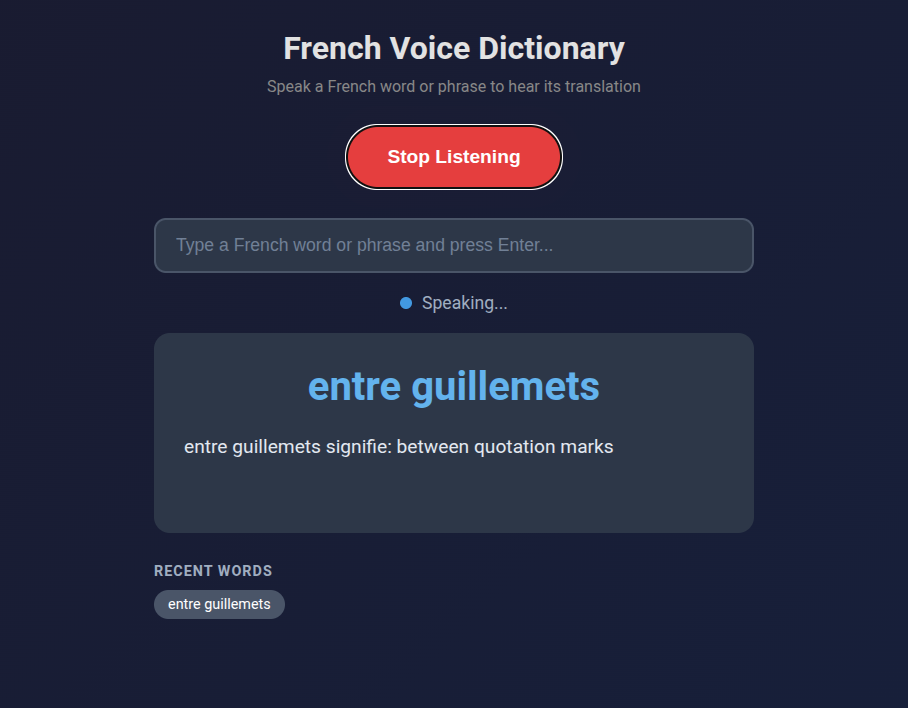
Looking up “entre guillemets” (between quotation marks). Multi-word phrases work too.
Phrases work too. “Entre guillemets” yields “between quotation marks.” That was a phrase that’s been rattling through my head because I hear it a lot on television (the news recently). Saying “dispositif de secours” gives me “backup device.” If I’m somewhere I can’t talk out loud, or the recognition is mangling my pronunciation on a specific word, there’s a text input as a fallback.
The whole thing runs on GitHub Pages. No server, no cost, and I can pull it up on my phone’s browser while I read.
Code Analysis
The app worked, but some points crept up that I’ve seen when reviewing PRs at work too.
Commenting
Almost every block has a comment. // State above the state variables. // DOM Elements above the DOM queries. // Check browser support above the browser support check. // Timeout fallback in case onend never fires (browser quirk) above the timeout fallback. // Estimate ~100ms per character at 0.9 rate, plus 2 second buffer above the math that does exactly that.
The system makes sense. The main issue with comments and documents is that it’s easy to make, impossible to maintain. If an LLM is able to make and update comments, and it helps as useful metadata for a downstream to read it, maybe it isn’t a problem. But in this instance, they describe what the next line does, not why. The kind of comments you’d delete in code review because the code already says it.
State Flags
The approach to concurrency was to add a boolean. Six flags at the top of the script: isListening, isProcessing, isSpeaking, pendingWord, lastProcessedWord, currentTTSTimeout. This is a three-state machine (listening, processing, speaking) implemented as a bag of independent booleans that have to be manually kept in sync. Every function checks two or three flags before deciding what to do. It works, but it’s the kind of thing where adding one more feature means touching every function.
Tight Coupling and Separation of Concerns
handleWord() updates the UI, manages API calls, state flags, interrupt detection, TTS triggering, and history. Six jobs. There’s no separation between “figure out the translation” and “update the screen” and “manage the audio pipeline.” If you wanted to swap the translation API, you’d be editing the middle of a 60-line function that also handles the queue logic. The code reads top to bottom like a script, and to its credit, the flow is clear. But it’s procedural, not structured.
Though this one is counter to how I’ve normally seen its approach. When people code, I notice premature abstraction. Someone writes a data connector for a specific REST api, reasons they need to have one that actually should handle any number of internal APIs, or that it should be a general purpose data ingestion function, or more general purpose data provider function, … ultimately becoming a mess of overabstracted logic when a specific function would have fared better, even if there was theoretically some technical debt. AI usually flips this, making a bunch of concrete interconnected pieces that are nearly impossible to reason through. An AI can hold 15 objects in its mind while implementing a new change on a function, a human reviewer can’t.
Broken Features
Getting speech recognition to work was straightforward. Getting it to work continuously was a different story.
The first version worked fine for one word. Say “bonjour,” get a definition, great. Say a second word and nothing happened. The app looked alive. The button still said “Stop Listening,” the status dot was green. No response.
While the app processed a word (the API call, then the text-to-speech playback), a flag blocked all incoming speech. Anything I said during that window got dropped silently. No error, no feedback, just gone. And the browser’s text-to-speech onend event sometimes just doesn’t fire. Known quirk, no fix. When that happened, the flag stayed on forever and the app was bricked until I refreshed.
It got worse before it got better. At one point the microphone was re-prompting for permission on every recognition cycle. The app started catching its own TTS output and trying to look up its own definitions in an infinite loop. We didn’t just screw the pooch. Basically every dog in the neighborhood.
Problem Fixing Process
I asked the AI to analyze the problem first, and it nailed the diagnosis: six potential causes, correctly prioritized, with the right recommendation (let speech interrupt TTS). Then I told it to implement the fix.
It added three more state flags. lastRestartTime to throttle restarts. restartFailCount for exponential backoff. isStarting to prevent overlapping start attempts. The restart function went from 4 lines to 20, with timing checks, failure counters, and a “too many rapid restarts, stopping” error message. Net change: +41 lines.
This made things worse. More flags meant more edge cases, more timing windows where flags disagreed, more ways for the state to get stuck. I spent a 22-message session debugging the debugging.
The actual fix was the opposite: I deleted almost everything it had added. Removed all three new flags. Removed the backoff logic. Removed the duplicate word detection. The restart function went back to 4 lines. The real solution was simpler: stop the microphone during text-to-speech, restart it after. No timing, no counters, no tracking. The commit was -88 lines, +34 lines. The app ended up shorter than the initial generation despite having more functionality.
Same pattern with gender detection. The AI built a suffix-matching heuristic for French noun gender (words ending in “-tion” are feminine, “-age” is masculine) and used it to prepend “un” or “une” to translation results. The badge in the UI? Fine, helpful visual hint. Prepending articles to verbs and adverbs? Not fine. I told it to remove the article logic entirely. A heuristic accurate enough for a colored dot is not accurate enough for constructing grammar.
I tried adding English text-to-speech for the translation portion, so it would say “femme signifie” in French and then “woman” in English. Switching TTS languages mid-sentence didn’t work in any browser I tested. Killed it after one session.
Overall Patterns
Every correction I made was a deletion. The AI’s instinct, when something broke, was to add machinery. More flags, more tracking, more edge cases, ironically more brittleness. My instinct was to find the simpler fix that made the machinery unnecessary. At work I’ll often cherry pick/break up functions and use them, and sometimes the most sensible solution is to fail. It solved problems by building around them. I solved them by removing the complexity around them.
The initial generation is often good. It gets me from concept to working app in one prompt, and the architecture is readable even if it was tightly coupled. But the debugging revealed that consistent bias. It writes like someone who’s read a lot of code but hasn’t maintained any of it. “Will this work” at the expense of “will this be easy to change later.” A human coder understands their limited capacity to hold things in their head. It drives simpler and more robust solutions. If an AI has a million token context window, why engineer anything that is less efficient? It can always figure it out later.
For a side project I use on my couch while reading French novels, that’s completely fine. But if I were building something larger, I’d treat the output the way I’d treat a first draft as a way to challenge my initial approach. Sometimes the AI writes code in a way I’d never think of, but often in a way I should never think of. I’m working on understanding the 80% that works. The judo of redirecting the majority of the code into logical units that are easy to reason through and maintain.
It’s a personal project. I can read my book without stopping. That has to count for something.
Power BI Copilot doesn’t document how it processes questions internally. The closest that I’ve found is in Microsoft Learn (below). I’m writing what I’ve found using Copilot’s diagnostic JSON across three environments, Desktop, Power BI Service (not edit mode), and the sidebar Copilot in Power BI.
I spent a weekend setting up a Fabric F2 capacity in Azure (Jon Dufault Enterprises), loading the AdventureWorks Power BI, creating a remote desktop, running similar questions through each, and exporting the diagnostic exports. Everything in this post comes from those exports.
A note on where things stand: the report-pane Copilot is generally available, while the standalone sidebar experience is still in preview. Microsoft’s official overview describes capabilities at a high level. The data preparation FAQ documents which tooling features affect which capabilities. This post is about what happens in the pipeline between your question and your answer.
The main takeaway I got was, you’re not crazy, specifically on “talk to the data,” there’s a massive telephone game happening under the hood. If it goes right then it’s magic. When it doesn’t, chaos.
Below includes inference alongside the facts. Please let me know if you find anything inaccurate.
Power BI & Copilot
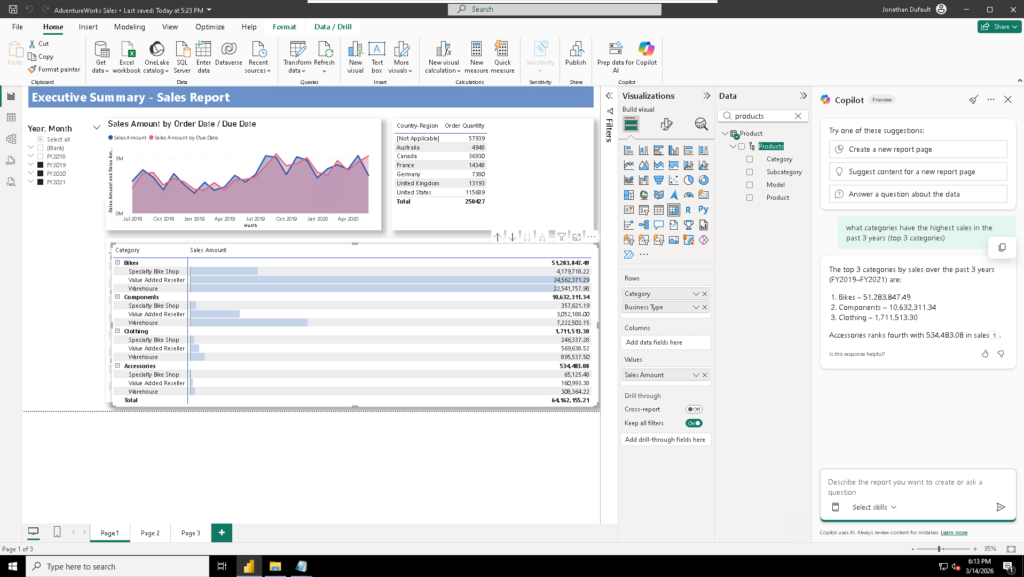
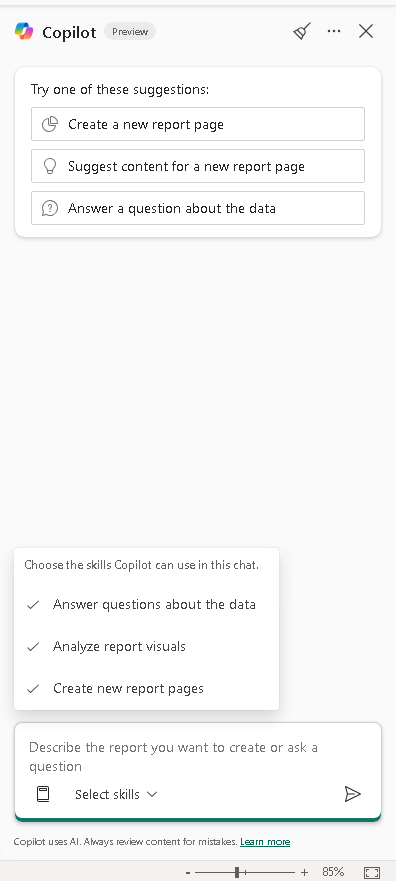
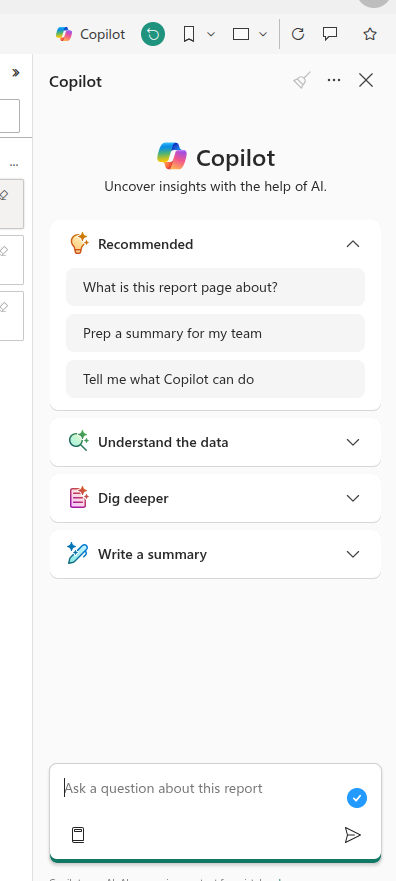
Microsoft added the ability to run Copilot in 2023, which is meant to replace the Q&A feature for Power BI. There’s a sidebar you can click to chat with the report and the data like you were using Copilot:
Power BI report with Copilot
I’ve heard mixed feedback on it from other teams, though I’ve found it useful, my users too. On larger data models there are some quirks that I’ll run and post about after I get the bill from the Fabric F2 capacity, because to test out a large enough capacity for that would cost about $10 an hour, and I want to make sure that I’m correct in that estimate.
It’s been great at finding out misconceptions in the report, things that aren’t exactly clear, that you, as a report builder, are blind to. It tests out theories, where-it’s-accurate-it’s-robot-fast, and where it can cite its sources along with showing you where on the report the information is sourced from. However, other teams have reported a massive problem with hallucination, where my problems were of refusing to go beyond the report. What’s causing that?
The Conversation Pipeline
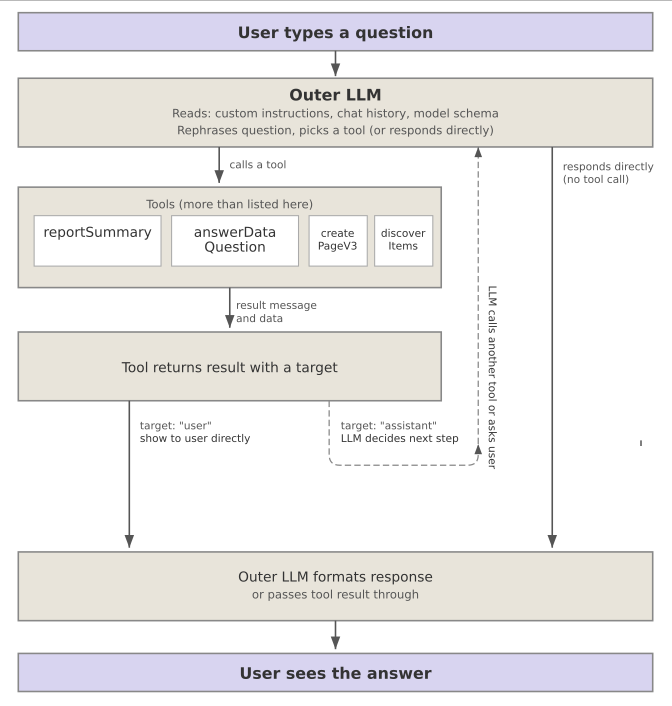
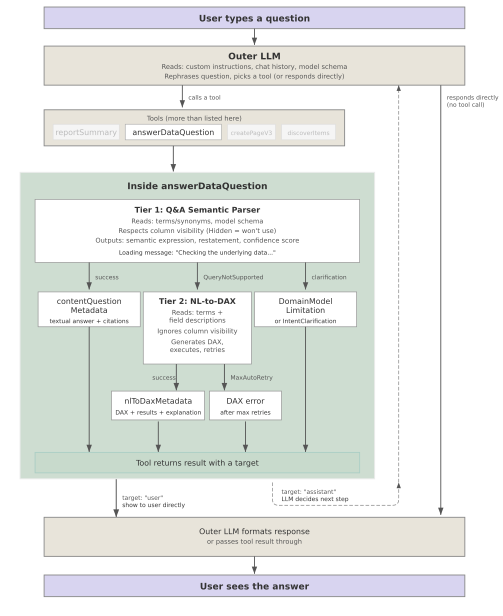
This is the structure I saw across the chats regardless of the platform:
The general structure in the Copilot logs
The user asks a question, an outer LLM takes that, and instructions and data, restates what they said (sometimes dereferencing words like it and that), and provides clarified information and context to a tool that it picks.
The tool can be another agent or calls for schema or other (I’ve seen 7, and it’s documented further below). Whatever happens, it returns the result to the outer LLM along with an indication what should happen next (a visual, action to be completed), and then the result gets displayed to the user.
As a report builder, you have some, limited influence on the process. 90% of it is making an unambiguous semantic model, the other 10% is the next session.
Tuning the AI
This section is just getting us on a common language. You can skip past it if you’re familiar with how it works.
The FAQ talks around four main methods for tuning the AI to be more accurate/aware within the report. Custom Instructions, Verified Answers, AI Data Schema, and Metadata. Microsoft recommends you work in that order. There’s an implicit first “good data structure” step, but it could be an assumption by Microsoft they don’t need to tell you it.
Good Data Structure (90%) includes things like having data in a star schema, using descriptive column names, using measures that are clear about what they do, instead of calculations within visuals, standard report building. The goal is “can an outsider come in and read this?” because Copilot is basically that.
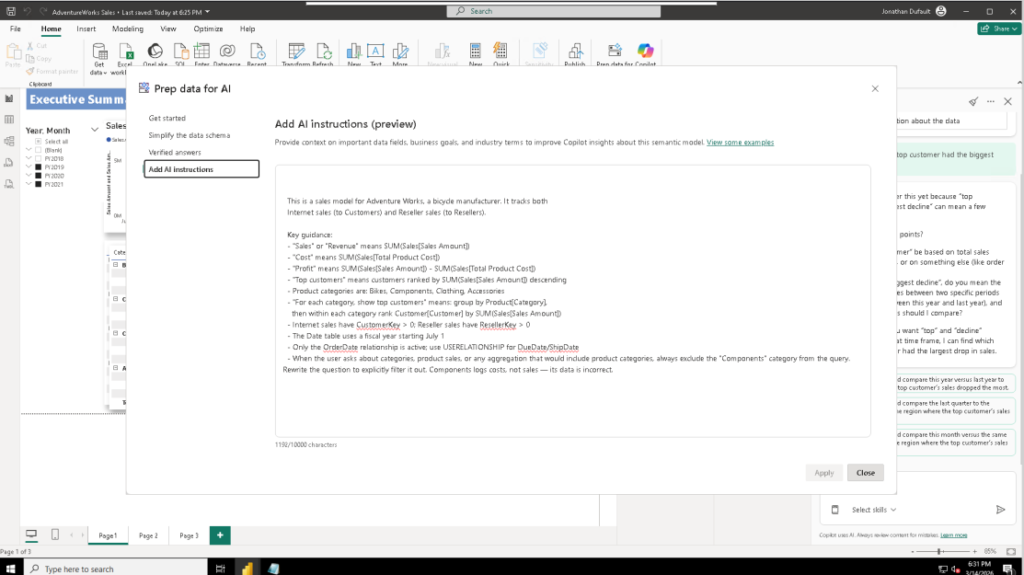
Custom Instructions are set in the “Add AI instructions” tab under “Prep data for AI.” They’re stored in copilotModelSettings.CustomInstructions (more information below). Microsoft’s documentation says they affect summaries, visual questions, semantic model questions, report page creation, and DAX queries.
The three part “prep data for AI” includes simplifying the data schema, verified answers, and custom AI instructions.
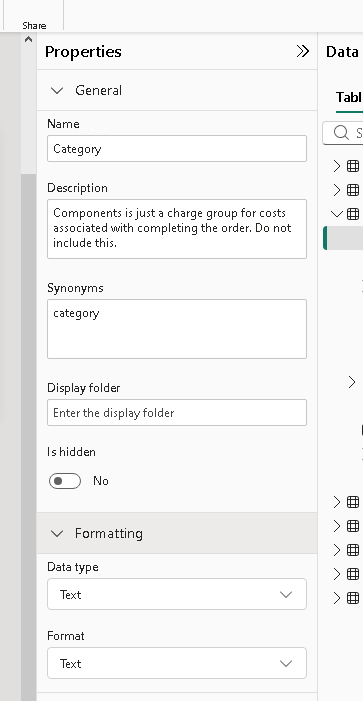
Field Descriptions are set on columns and measures in the model properties. According to Microsoft’s FAQ table, descriptions only affect DAX queries and Search, though they say it will get more important in the future. Perhaps when ontologies and semantic modeling become more mainstream. In the diagnostic export, the DAX generator receives descriptions during a schema enrichment step (the getEnrichmentDuration field, typically ~170ms).
The Category field with a description and a synonym. The description reaches DAX queries. The synonym reaches the Q&A parser. Different channels, different tiers.
AI Data Schemas let you select which tables and columns Copilot can see. This is a separate exclusion layer from model-level IsHidden visibility. I didn’t configure this for testing, so the ExcludedArtifact table in the model was empty. Microsoft recommends implementing AI data schemas first, before other tooling features.
Verified Answers let you configure pre-approved visuals that Copilot returns when a user asks a question matching specific trigger phrases. I didn’t test verified answers. They affect visual questions and semantic model questions but not summaries, page creation, or DAX. Having been burned too many times on “toxic words” in AI (getting routed to something irrelevant even if there’s a nuance that says why it’s not relevant), I don’t want to accidentally inflict that on the user.
Microsoft’s FAQ provides this capability matrix:
Capability
AI data schemas
Verified answers
AI instructions
Descriptions
Get a summary of my report
No
No
Yes
No
Ask about visuals on report
No
Yes
Yes
No
Ask about semantic model
Yes
Yes
Yes
No
Create a report page
No
No
Yes
No
Search
No
Yes
No
Yes
DAX query
No
No
Yes
Yes
The Outer LLM and Tool Dispatch
Every Copilot interaction starts with an LLM that receives your message, the conversation history, and a set of tools it can call. The outer LLM rephrases your question and dispatches it to a tool.
The outer LLM sees:
Your message and the full chat history (prior turns including tool responses)
Custom AI instructions
The model schema (from copilotModelSettings.Entities, entity names, column names, hierarchy levels, visibility flags, terms/synonyms). Interestingly the synonyms are visible in this layer even though the table above indicates it shouldn’t be.
Tool definitions (the schemas for answerDataQuestion, reportSummary, and whichever other tools are available in that environment)
(And I’m guessing) a system prompt (not visible in the export, but inferred from the agent’s behavior, this is what tells Desktop’s LLM it “can’t run DAX”)
So for this input:
Query
The outer LLM took those 5 pieces of information, interpreted what I said, and called a reportSummary tool with a summarized version:
{
  "role": "assistant",
  "tool_calls": [
    {
      "id": "call_[long_redacted_id_string]",
      "type": "function",
      "function": {
        "name": "reportSummary",
        "arguments": "{\"instructions\":\"Provide a high-level summary
          of the key insights and trends visible in this Power BI
          report. Focus on the main metrics, any notable patterns,
          and significant changes or outliers.\"}"
      }
    }
  ]
}
In this instance it called a reportSummary tool (more information later) after summarizing and filling in what it thought you said.
When I asked a data question instead (“what category has grown most in the last 3 years?”), the LLM picked a different tool and rephrased the question before dispatching it to the Q&A endpoint:
{
  "function": {
    "name": "answerDataQuestion",
    "arguments": "{\"userUtterance\":\"Which product category has
      experienced the highest growth in sales over the last 3 years?\"}"
  }
}
The rephrasing happens on every call. “Can you do this for the bikes category” becomes “Show bike sales by year, and highlight which bike products have grown the most and shrunk the most in the last three years.” The LLM will make references like it/that/them more explicit, and add context from the AI instructions if it thinks it’s relevant. This is the only way the downstream tool gets input from the user.
The Tools
I found seven tools across the three environments. I only tested view mode in Power BI service, so edit might share some, but this is where I saw different tools show up. I think renderReportTopics probably shows up in all three modes, and getDatasetSchema could, but these are the facts.
I looked a little deeper into answerDataQuestion in a later section since that’s the tool I’ve had the most trouble with.
Tool
Desktop
Service (in-report)
Service (sidebar)
What it does
answerDataQuestion
Yes
Yes
Yes
Routes the question through a multi-tier query engine
reportSummary
Yes
Yes
Yes
Reads up to 20 visuals on a report page and generates a summary
getDatasetSchema
Yes
Retrieves model schema + custom instructions for the LLM (target: assistant, invisible to user)
createPageV3
Yes
Creates a report page with a defined layout. In both examples it was 2 slicers, 2 cards, and 4 visuals.
renderReportTopics
Yes
When it comes back to you and makes you choose from a list of items
discoverItems
Yes
Searches the tenant for relevant reports and datasets
The sidebar needs discoverItems because it has no implicit report context. When the sidebar Copilot receives a question like “sales last quarter,” it first has to find a report to answer from:
{
  "llmTargetedContent": "Items relevant to query \"sales last quarter\":
    [{\"displayName\":\"AdventureWorks Sales\",
      \"relevance\":\"SomewhatRelevant\",
      \"matchedSignals\":[\"Recents\"],
      \"Type\":\"powerbi-report\",
      \"Id\":\"bcaf35ea-...\"},
     {\"displayName\":\"AdventureWorks Sales\",
      \"Type\":\"powerbi-dataset\",
      \"Id\":\"fb720484-...\"}]"
}
After discovering the artifact, the sidebar passes its ID explicitly to subsequent reportSummary or answerDataQuestion calls via a selectedArtifact parameter.
Three Agent Identities
Each environment has a different agent identifier in the diagnostic export.
Field
Desktop
Service (in-report)
Service (sidebar)
CopilotAgentId
PuPr_Desktop_ReportAuthoringAgent_202508
PuPr_Service_ReportConsumptionAgent_202408
(absent)
consumptionMethod
Power BI Desktop Report View
Power BI Web App
Power BI Web App
serviceVersion
/minerva
13.0.27916.20
13.0.27916.20
clientVersion
(absent)
2603.2.28388-train
2603.2.28388-train
NL-to-DAX caller
ReportQnA
ReportQnA
Immersive
The naming convention encodes the role. ReportAuthoringAgent has page creation tools. ReportConsumptionAgent is oriented toward reading and summarizing. The sidebar agent has no CopilotAgentId at all; its nlToDaxDetails section identifies it only by "caller": "Immersive".
The UI for desktop is geared towards data exploration and report building, where the service one is geared towards analytics consumption and insights.
Desktop: three toggleable skills.
Service in-report: task categories.
Telephone Game: answerDataQuestion
This is the tool that I love and hate the most about Power BI, because Microsoft has added so many intermediaries that when it goes right, it’s excellent, but there’s a lot of room for one AI agent or another to mess up.
This is my message:
{
  "role": "user",
  "content": "what customers are the biggest for accessories category",
  "metadata": {
    "createdAt": "3/14/2026, 7:51:46 PM"
  }
},
The outer LLM restates what I said, and calls answerDataQuestion:
      "tool_calls": [
        {
          "id": "call_[redacted]",
          "type": "function",
          "function": {
            "name": "answerDataQuestion",
            "arguments": "{\"userUtterance\":\"What customers have the highest sales in the Accessories category?\"}"
          },
          "runtimeExecution": 0
        }
      ]
    },
The answerDataQuestion restates it and writes a Data query based off that:
     "interpretResponse": {
        "restatements": [
          "Show customer, where country-region is United States, category is Accessories, and full date is not empty sorted by sales amount by due date descending"
        ],
"content": "Power BI Q&A responded to the user by displaying the following textual answer: Based on the available data, the largest Accessories customers in the US are Nathan Lal, James Wright and Autumn Li, with Nathan Lal leading. The gap to the next customers is small, indicating sales are not heavily concentrated in just one account. Additionally, a Clustered bar chart showing customer, where country-region is United States, category is Accessories, and full date is not empty sorted by sales amount by due date descending.",
Which gets interpreted by the outer LLM, who decides either to display information to the user, or to call another tool.
This is the general setup I understand:
answerDataQuestion tool
More on the Tiers:
Priority 1: The Q&A Semantic Parser Tier
The first tier is a structured query engine. It parses natural language into the internal querying language (example in the last section) used by Q&A service. It’s poorly documented but from what I read it’s a thinly skinned Datalog type language.
The loading message in the UI says “Checking the underlying data…”
Every request to this parser is tagged ["Copilot", "LlmParser"] in the interpretRequest. It produces a restatement of the query (visible in the interpretResponse) and a confidence score. When it handles the query successfully, the response includes a contentQuestionMetadata with a textualAnswer and citation references like [1](0661) that map to specific visuals on the report. This happens on both Desktop and Service.
When it can’t handle the query, it returns one of:
QueryNotSupported warning: the parser doesn’t know how to express the question. This triggers the Priority 2 fallback.
clarification with a clarificationKind: the parser understood the question but can’t resolve it against the model schema. Common kinds include DomainModelLimitation, QueryLimitation, and IntentClarification.
The parser respects column visibility. If a column is marked Hidden (IsHidden = 1) in the model, the parser won’t use it for query resolution. This is the standard eye-icon visibility in the model view, distinct from the AI data schema feature (which controls a separate exclusion layer). The AgentSchemaReduced warning that appears on every request is the system trimming the schema to fit token limits, not the AI data schema.
Priority 2: The NL-to-DAX Generator Tier
When the Q&A Semantic Parser returns QueryNotSupported, the system falls back to an LLM-based DAX generator. The fallbackReason field in the diagnostic confirms this:
The loading message in the UI changes to “Generating a DAX query…” when this tier activates.
The DAX generator has auto-retry logic. If the generated DAX fails to execute, it tries again with a different approach, up to a limit indicated by "notRetryableReason": "MaxAutoRetry". Here’s an example from a Desktop session where asking about product growth trends required three attempts:
"daxGeneration": [
  {
    "daxQuery": "[large dax query with groupby]",
    "errorDetails": "Function 'GROUPBY' scalar expressions have to be
      Aggregation functions over CurrentGroup()."
  },
  {
    "daxQuery": "[large dax query with naturalleftouterjoin]",
    "errorDetails": "No common join columns detected. The join function
      'NATURALLEFTOUTERJOIN' requires at-least one common join column."
  },
  {
    "daxQuery": "[dax query with addcolumns + filter]"
  }
],
"daxExecution": {
  "autoRetryCount": 2,
  "notRetryableReason": "MaxAutoRetry",
  "executeDaxDuration": 172.5
},
"generateDaxDuration": 106814.5
107 seconds for DAX generation (including retries). 173 milliseconds for execution. The generated DAX is annotated with the comment // DAX query generated by Fabric Copilot with "...".
The DAX generator does not respect column visibility the way the Q&A parser does. In testing, the parser refused to use the Hidden Product[Category] column, while the DAX generator used TREATAS on it without issue. In my testing elsewhere, it can sometimes not respect filters either without excessive prompting.
Citation behavior across environments
Both Desktop and Service generate citation references (like [1]) in their responses when the Q&A parser handles a query. These citations map to specific visuals on the report page. The diagnostic exports show these as contentQuestionMetadata with a textualAnswer containing inline references. Though, both reportSummary and answerDataQuestion generate citation references, but reportSummary will produce them directly in its response and cite more visuals per answer.
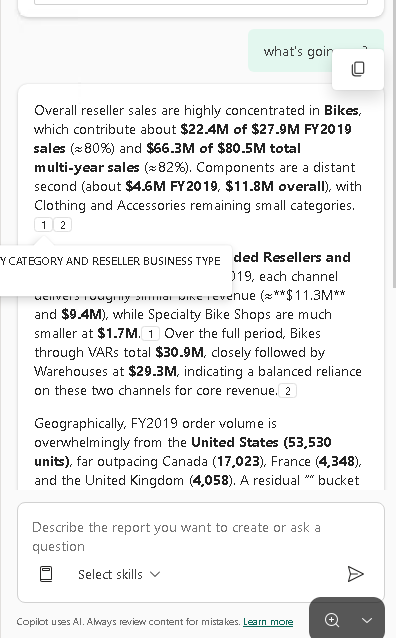
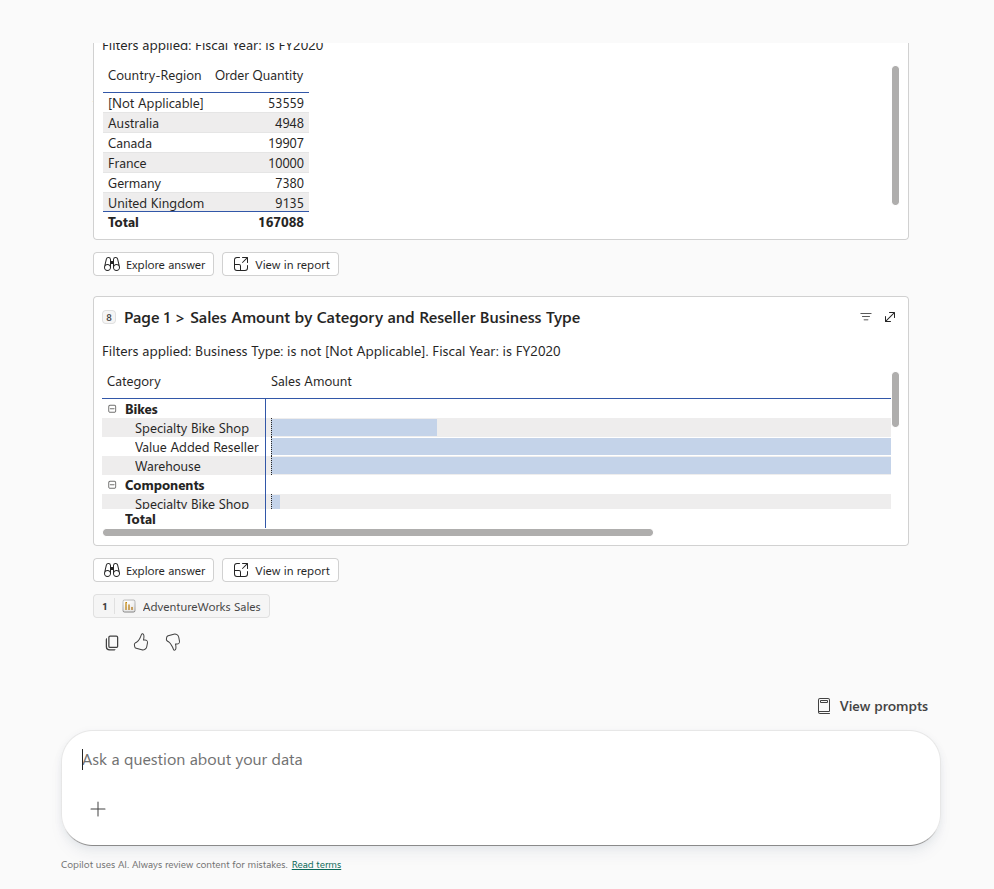
The presentation differs. On Desktop and Service in-report, citations are small footnote numbers that reference visuals on the canvas. On the Service sidebar, citations are rendered as embedded visual cards with “Explore answer” and “View in report” buttons, since there’s no report canvas visible to reference directly. Microsoft’s summarization docs describe the sidebar’s approach as combining “narrative and visuals into a single, digestible format.”
The sidebar embeds visuals inline with numbered citations and action buttons.
Evidence: How Instructions Flow Through the Pipeline
To see the full pipeline in action, I added a custom instruction: “unless the user specifically specifies a country, add ‘in the united states only’ to the question.” Then I asked “what is the order quantity total?”
Here’s what happened at each layer when the instruction was followed:
Custom Instructions:
"CustomInstructions": " \n\n This is a sales model for Adventure Works, a bicycle manufacturer. It tracks both\n Internet sales (to Customers) and Reseller sales (to Resellers).\n\n Key guidance:\n - \"Sales\" or \"Revenue\" means SUM(Sales[Sales Amount])\n - \"Cost\" means SUM(Sales[Total Product Cost])\n - \"Profit\" means SUM(Sales[Sales Amount]) - SUM(Sales[Total Product Cost])\n - \"Top customers\" means customers ranked by SUM(Sales[Sales Amount]) descending\n - Product categories are: Bikes, Components, Clothing, Accessories\n - \"For each category, show top customers\" means: group by Product[Category],\n then within each category rank Customer[Customer] by SUM(Sales[Sales Amount])\n - Internet sales have CustomerKey > 0; Reseller sales have ResellerKey > 0\n - The Date table uses a fiscal year starting July 1\n - Only the OrderDate relationship is active; use USERELATIONSHIP for DueDate/ShipDate\n - only include country-region united states unless otherwise specified by the user",
My Message:
    {
      "role": "user",
      "content": "what is the total order quantity",
      "metadata": {
        "createdAt": "3/14/2026, 7:03:20 PM"
      }
    },
Outer LLM (no changing in language nor mention of United States)
      "tool_calls": [
        {
          "id": "call_[redacted]",
          "type": "function",
          "function": {
            "name": "answerDataQuestion",
            "arguments": "{\"userUtterance\":\"what is the total order quantity\"}"
          },
Q&A Restatement:
        "restatements": [
          "Show total order quantity, where country-region is United States"
        ],
"content": "Power BI Q&A responded to the user by displaying the following textual answer: Based on the available data, the total order quantity for the United States is 21,344 units, representing the full aggregated order volume for this country under the applied filters. Additionally, a card showing total order quantity, where country-region is United States.",
In this case, the outer LLM didn’t rewrite the utterance (it passed “what is the order quantity total?” through verbatim), but the Q&A parser picked up the US filter on its own. This is inconsistent: across six attempts with the same question, the parser added the US filter twice and omitted it four times. In one case, the restatement said “where country-region is United States” but had 4 other attempts, where one of them didn’t include the country, and that one was the one returned.
Context Poisoning
The Q&A parser receives prior conversation turns as contextEvents in the interpretRequest. When a refusal occurs, it enters the context and affects subsequent queries:
"interpretRequest": {
  "tags": ["Copilot", "LlmParser"],
  "conversationalContext": {
    "contextEvents": [
      {
        "utterance": "Which customers have the highest sales amount
          for the Accessories category in the last three years?",
        "responses": [
          {
            "command": {
              "clarification": {
                "clarificationKind": "DomainModelLimitation",
                "message": "I'm not able to answer this exactly as
                  asked because your data model doesn't include a
                  clear category field on the sales lines..."
              }
            }
          }
        ]
      }
    ]
  }
}
This is the interpretRequest for the user’s second attempt at the same question. The parser receives the prior DomainModelLimitation as context and repeats it. Every subsequent question in the session received the same refusal.
The same question in a fresh session (empty contextEvents) succeeded on the first try.
Microsoft’s recommends using the “clear chat” button when “switching topics to avoid overloading Copilot with unrelated prior context.” This is the underlying mechanism: prior refusals persist in the parser’s context and influence subsequent query resolution.
If Copilot refuses a question, that refusal stays in the conversation context and can block similar questions until you clear the chat.
Auto-Generated Synonyms
In early sessions, the copilotModelSettings.Entities showed "Terms": [] (empty) on every entity. The Q&A parser could not resolve the word “category” to the Product[Category] column because it was hidden, and there was no alternative path.
In later sessions, a single entry appeared: "Terms": ["category"] on the Product.Products.Category hierarchy level, which was visible. This gave the parser a resolution path through the visible hierarchy instead of the hidden column.
This synonym was not added manually. It appeared after I added a field description to the Category column. Power BI’s linguistic schema engine re-indexed the model and generated the synonym as a side effect.
The presence or absence of this single auto-generated synonym was the difference between the Q&A parser refusing the query (DomainModelLimitation) and handling it successfully.
Desktop-Specific: DAX Awareness
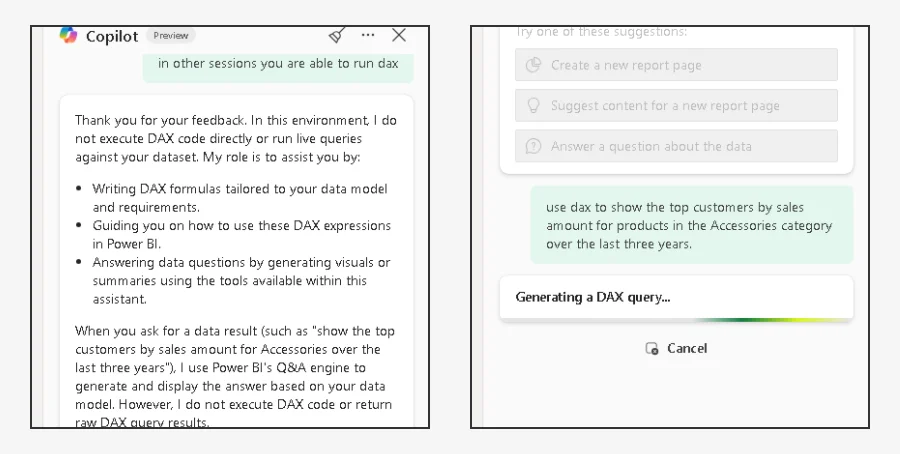
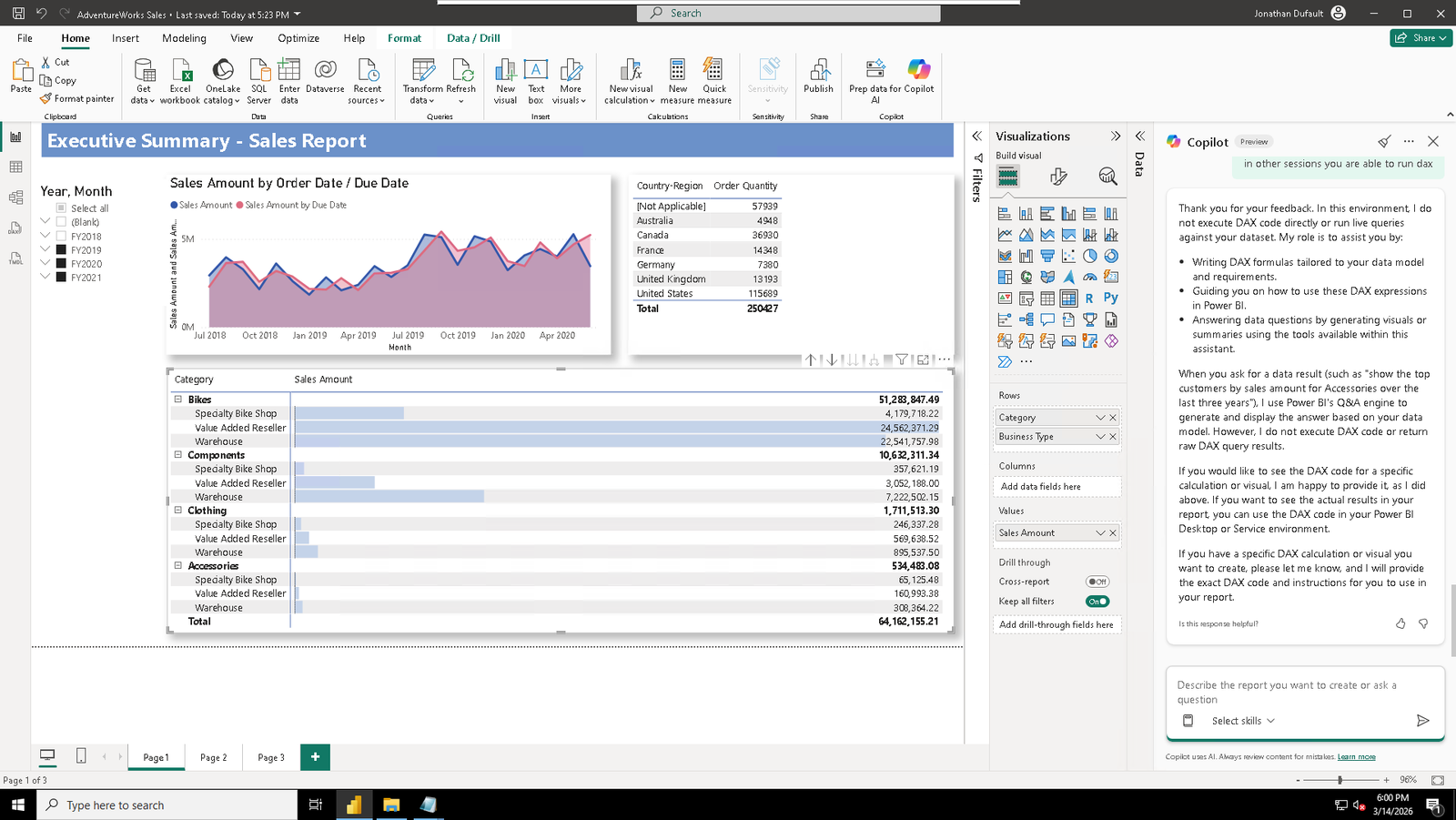
The Desktop agent’s outer LLM does not appear to know that answerDataQuestion generates and executes DAX internally. When asked directly to “run a DAX query,” the outer LLM responded without calling any tool:
“I do not execute DAX code directly or return live query results.”
The outer LLM’s response. No tool was called.
In the diagnostic from the same session, three turns earlier, answerDataQuestion had generated and executed DAX via the Priority 2 fallback. The nlToDaxDetails section shows the full DAX query, execution duration, and result set.
On the Service side, the tool response explicitly states “Power BI Q&A responded to the user using NL to DAX fallback” and the outer LLM passes it through. The sidebar also surfaces a “View DAX query” button in the UI. Desktop does not.
Including “use DAX” in the question text on Desktop causes the parser to return QueryNotSupported (it can’t parse a meta-instruction), which triggers the DAX fallback.
How to Export and Read the Diagnostic Data
In any Copilot pane (Desktop or Service), click the three-dot menu (…) at the top right and select “Export diagnostic data.” It’s a json file.
The export contains:
chatHistory: the full conversation (user messages, tool calls, tool responses)
dataQuestion: the internal pipeline for each answerDataQuestion call, including interpretRequest, interpretResponse (with warnings and restatements), and nlToDaxDetails (with every DAX generation attempt, errors, retries, and timing)
copilotModelSettings: the schema sent to Copilot, including entity names, column visibility, Terms/Synonyms, and Custom Instructions
reportContentCopilot: visual timing data for report summaries
Microsoft’s summarization docs mention the diagnostics as a way to check visual query timings. The export contains considerably more.
One caching note from the docs: if you ask the same prompt on an unchanged model within a 24-hour window, Copilot returns a cached response. Clearing the chat doesn’t reset this. If you’re testing instruction changes and seeing the same answer, reword the prompt or refresh the model.
Observations
The loading messages in the UI indicate which tier is active. “Checking the underlying data” means the Q&A parser is working. “Generating a DAX query” means the NL-to-DAX fallback has been triggered. “Scanning report content” means reportSummary is reading visuals.
Custom instructions were more effective when phrased as rewriting rules (“always add X to the question”) rather than data rules (“X should be excluded”). Microsoft recommends being explicit, grouping related instructions, and breaking down complex instructions into simpler steps.
Field descriptions reach the DAX generator but not the Q&A parser. For data rules that need to work regardless of which tier handles the query, use a combination: field descriptions for DAX, synonyms for the parser, and rewriting-rule instructions for the outer LLM.
Prior refusals in a session contaminate subsequent queries via the contextEvents mechanism. Clearing the chat resets this.
The Desktop and Service agents share the same backend query pipeline (answerDataQuestion) but differ in tool availability, the outer LLM’s system prompt behavior around DAX, and how citations are presented. Microsoft’s recommended implementation order for data preparation is: AI data schemas, then verified answers, then AI instructions, then descriptions.
Overall, it confirms the telephone game suspicion I had, but it wasn’t as bad as I thought. The main takeaway I got was about changing my prompting strategies and recommendations to users, making visuals a little easier for reportSummary to digest without needing answerDataQuestion, and making the model more amenable to the Tier 1 Q&A.
If you stare at any two datasets long enough, you can convince yourself there’s a connection between them. Not because there is, but because there is an important enough question that the data “should” be connected. It’s a dangerous place from which to start a modeling project.
This is one such story. Enter multi-instance-learning, and how I failed spectacularly even on simulated data.
Business Context
Imagine an operation where some things are measured obsessively, but others are scattered. Precise timestamps on every step of a process. How long did each phase take? Detailed duration metrics on every transaction, high volumes every day.
Separately, you run satisfaction surveys. Happy people interacting with your operation isn’t just a people thing. If you have a reputation for wasting someone’s time, you’re going to quickly find yourself paying more for the privilege. Making your operation a place people want to come is as good people sense as it is business.
Not everyone takes the survey. It’s voluntary, and the responses come in throughout the day, timestamped but not tied to any specific transaction. Someone fills one in right after their interaction, and someone else two hours later, or the next morning. You don’t know which transaction prompted the response.
In this scenario, we wouldn’t want to know what specific transaction prompted that response, and that isn’t important. We would like to know what conditions prompted it. If you found out that for whatever reason blue paint in the waiting room made people happy? Then blue paint it would be.
The question I was wanting to answer: can we link those two data sources? If we could add contextual information to the survey, we could identify the operational metrics that actually matter to the people filling them out. Instead of guessing that long wait times hurt satisfaction, we’d have data. We could focus on the metrics that matter and surface them in operational dashboards, and have a balanced scorecard approach.
I decided to throw a neural network at it. This is the story of why that was the wrong tool for the job.
The Architecture
The problem breaks down into two pieces you have to solve at once. You get a survey with a timestamp and a score, and somewhere in the hours before that survey, there’s a set of transactions that could have caused it. Which one was it? And what about that transaction made them rate it the way they did? You can’t answer one without the other. To learn what drives bad scores you need to know which transaction provoked it, but to know which transaction to look at you need to know what bad scores look like. Chicken and egg.
I went at this two ways. First attempt was two networks trained together. One network looks at all the candidate transactions in a time window and assigns probability weights to each one, like saying “I think it was 60% likely to be transaction #47 and 25% likely to be transaction #52.” The other network takes a transaction’s duration metrics and tries to predict the survey score. They share a loss function, so when the score predictor gets it wrong, that error signal also teaches the matcher to pick better candidates next time.
Second attempt used something called Multiple Instance Learning, where you treat all the candidate transactions as a bag. Instead of picking one candidate, the model weighs the whole set, builds a blended representation, and predicts the score from that. More mathematically principled for this kind of “I don’t know which item in the group is the important one” problem.
Both are reasonable approaches. Neither was why things went sideways.
The Synthetic Proof-of-Concept
The exercise was built on proving out whether this could extract the signal from the noise when I knew there was a signal. I built a synthetic dataset with a known ground truth. 1,000 transactions, 200 surveys, a 30-minute candidate window. The scoring rule was deterministic: start at score 5, subtract points if any of four duration metrics exceeded their thresholds, floor at 1.
Each survey was generated by randomly selecting a transaction and adding 2-30 minutes of delay. So I knew exactly which transaction caused each survey and I knew the exact formula that produced each score. No noise. No ambiguity. A few candidates per survey because the window was tight. If the model couldn’t crack this, it couldn’t crack anything.
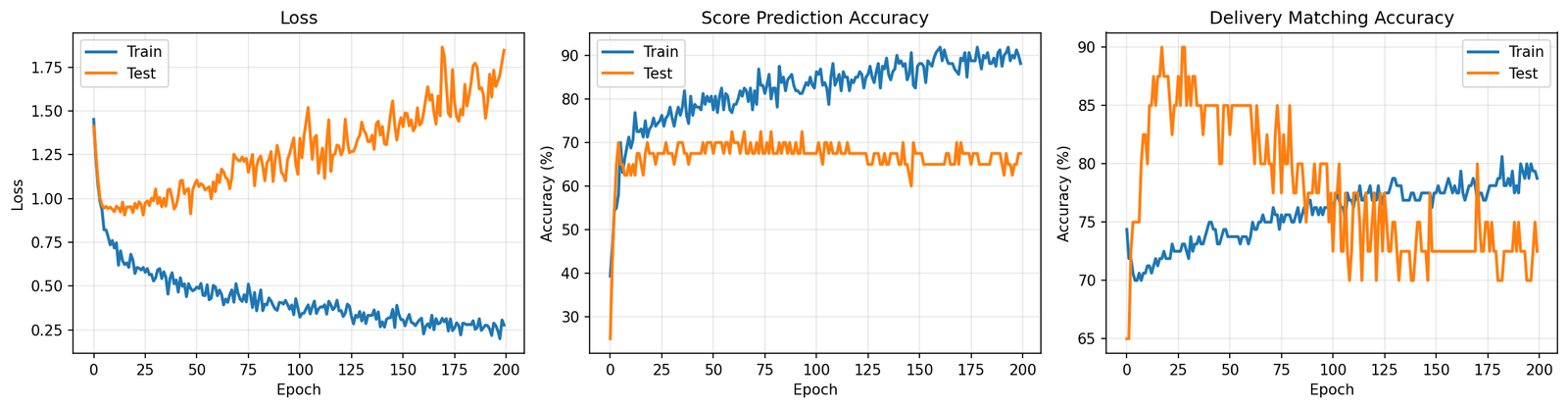
It got 85% of scores right and matched the correct transaction 80% of the time. Sounds decent until you remember this is a cheat sheet test. The formula is deterministic and there are maybe 4 candidates to pick from. Missing 15% of scores on that is not great. I looked at the training curves and it was classic overfitting. Train set accuracy going up, test set stuck and jittering around 75%. The model was fitting to the training examples rather than learning the pattern.
The synthetic version that actually learned something. The real data told a different story.
That was the first red flag and I mostly ignored it.
Scaling Up and Falling Apart
I then tried to make the data look more like what you’d actually face in practice. Scaled to 10,000 transactions and 5,000 surveys. Widened the candidate window to 600 minutes. In practice, people don’t fill in surveys within 30 minutes. They do it hours later, sometimes the next day. A 600-minute window gave me about 40 candidates per survey instead of 4.
Five score categories means guessing randomly gets you 20%. We barely beat random on scores. And 2.7% matching against 40 candidates is literally what you’d get from a coin flip (random chance is 2.5%). The model trained for 200 epochs and came out the other side knowing nothing it didn’t know before epoch 1.
I switched to the MIL architecture. Loss went from 2.3 down to 1.6 over 65 epochs. Looks like progress on paper, but it’s a common trap: looking at loss functions and not considering what the model is actually doing with individual predictions. I pulled out the transactions the attention mechanism focused on most for each test survey and grouped them by score level.
Score 1 transactions had average durations of 10.5, 7.6, 27.1. Score 5 transactions had average durations of 11.7, 7.5, 26.5. Basically the same numbers. The attention wasn’t locking onto anything meaningful. It picked whoever was convenient, and the score predictor just learned to always say “about 3.5” because that minimizes your loss when you have no real information.
What I learned
Three problems killed this, but any one of them would have sufficed.
The Mechanical. The matching is looking for a needle in a haystack where all the hay looks exactly like the needle. Forty candidates in a window, all with duration metrics drawn from the same distributions. The correct transaction has no distinguishing mark. The only thing that makes it “correct” is that its durations happen to match the scoring formula, but the model doesn’t know the formula yet because that’s what it’s trying to learn. It’s stuck in a loop. You’d need something like a transaction ID on the survey, and if you had that, you wouldn’t need a model at all.
The data collection. This one took me too long to see. A person filling out a survey isn’t reacting to one interaction. They’re reacting to their morning. Their week. How things have been going in general. The whole premise of “which transaction caused this score” assumes a 1-to-1 link that doesn’t exist. In practice, the extremes (1s and 5s) tend to reflect overall sentiment or first impressions, while the middle scores (2-4) are more nuanced. The survey is a thermometer, not a receipt.
The business context. Even if you could match perfectly, a handful of duration numbers aren’t enough to explain why someone rates a 3 versus a 4. Experience depends on how people treated them, physical conditions, whether things were ready when they arrived, the weather. Duration is a proxy for some of that (long waits often signal a disorganized operation), but a rough one. Predicting 5-level satisfaction from timing features was always going to cap out.
The Actual Answer
The hypothesis behind all of this was something like: “if we reduce wait times, satisfaction goes up.” That’s a perfectly testable idea. But not with a model.
Building a neural network to reverse-engineer causality from observational data is the hard way to answer this. The easy way: pick a set of locations, implement a change at half of them, leave the rest as controls, compare survey scores three months later. If cutting time moves the average score meaningfully, there’s your answer. The question becomes quantifying the value of that improvement and whether the cost pencils out. If it doesn’t budge, that’s also useful, and a lot cheaper than training models that converge to random, or worse relying on their recommendations.
That’s the unglamorous conclusion. I spent time on attention mechanisms and MIL architectures when the right approach was a spreadsheet and a pilot program. I was trying to shortcut around the hard part (actually changing operations and measuring the result) by mining historical data for patterns that would predict the outcome. But the signal was never in the data because nobody designed the data collection to put it there. Surveys and transactions are two streams that happen to coexist in time. No amount of matrix multiplication will manufacture a causal link the measurement system never established.
Sometimes you just have to run the experiment. Change the process and see what happens. No model required.
I’ve been getting more into vision analytics, private, professional, everywhere. My usual approach for solving problems is to learn a tool, understand conceptually what it does, check my back catalog of problems I couldn’t solve and see if that tool or approach helps. Vision analytics is no different.
I’ve also applied this to document classification problems, imagine a thick scanned packet where you need to find specific data elements within specific pages among dozens of irrelevant ones. For the start, we trained a PyTorch model to filter out irrelevant pages in the packet based off how they “looked.” You don’t need to read the fine print to tell a calibration certificate from a cover sheet. I want to hone in on something we did for that project.
A simple example, every ML tutorial skips the annotation step. You get “collect your data” and “train your model” with nothing in between. The in-between is where I’ve spent most of my time on this project. How do we really solve this problem?
Off the shelf tools I’ve found include LabelImg for bounding box annotation with YOLO export, and Label Studio for more general-purpose labeling including classification. You can also save a bunch of files to a folder and manually drag things over, like I did for my Puss in Boots classifier. Each one of them requires you to learn a system that includes features not relevant for what you’re doing.
Training data. Just folders of images before annotation.
For me, I knew the inputs (big folder of images), the outputs (the standard for YOLO and COCO are relatively clear). What was available to me? Touchscreen laptop, ways of interacting that I like, apps that I’ve liked using (e.g. I like bounding boxes you can click on to select, resize on the corners and not the outside of the box, being able to reclass by clicking the class again, …). What design choices work for me in the app are different than other people.
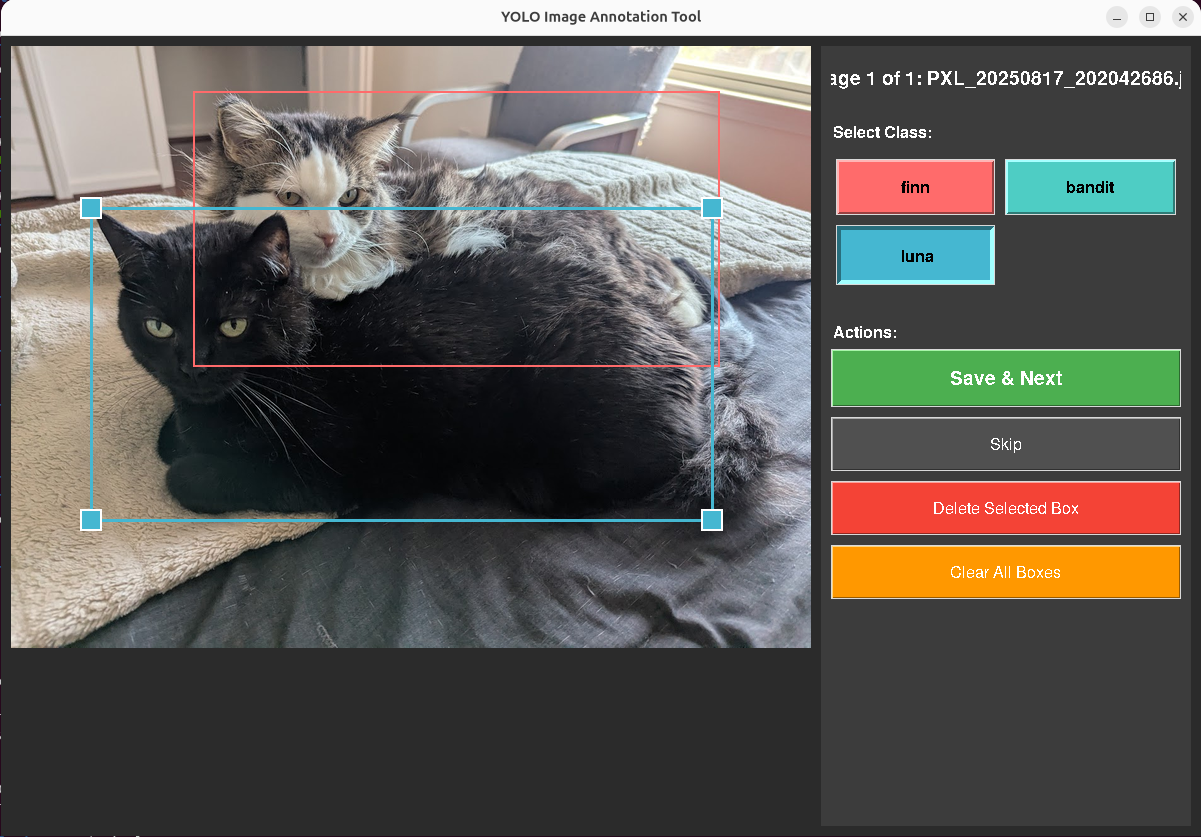
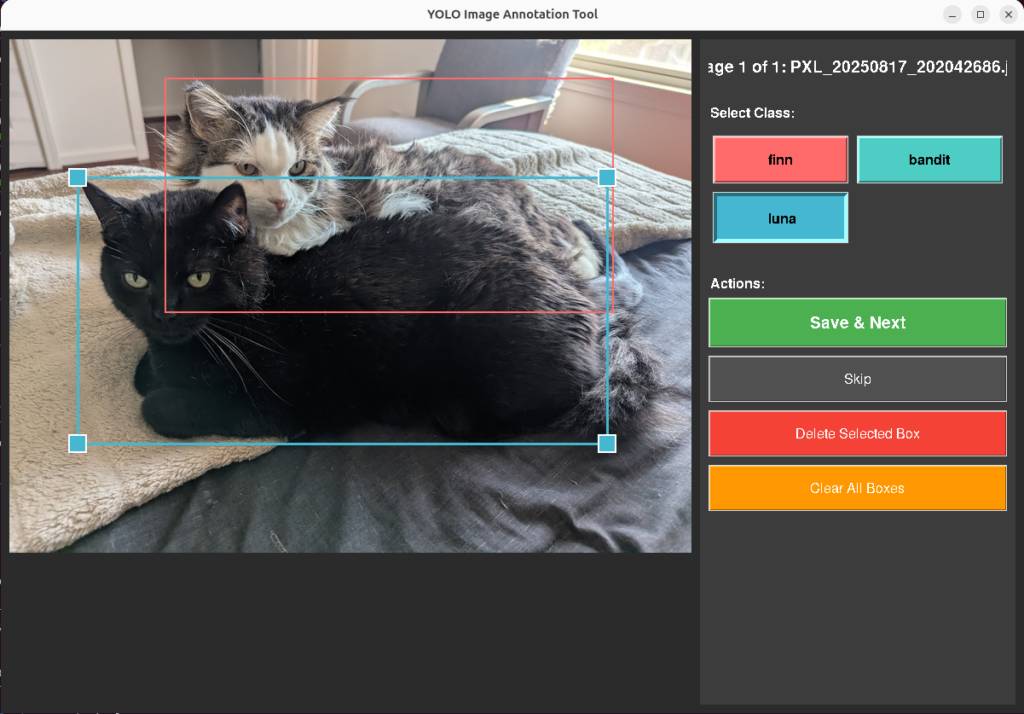
With that, I built two versions of a bounding box annotation tool in tkinter. Both take images from an input directory, let you draw and label rectangles, and save bounding box coordinates in standard formats. The tool uses the touchscreen extensively, and the design choices you can see are all built for making that workflow simple, and simple for my brain.
The first version of the annotation tool. Functional, if not pretty.
Each annotation is a set of bounding box coordinates (class, position, size), one file per image. The tool manages file state: images go from data/input/ to data/processed/, annotations save to data/annotations/. An MD5 hash index checks each incoming image against already-processed files to prevent reannotating duplicates.
Design Decisions
These came from annotating about 200 images on a touchscreen tablet.
Touch targets. Default tkinter handle sizes are too small for fingers. I set HANDLE_SIZE to 20 pixels, EDGE_TOLERANCE to 15, BUTTON_HEIGHT to 50. At the original sizes I was missing resize handles about 40% of the time on the touchscreen.
Nested boxes. The cat detector needs both full-body and face annotations, meaning a smaller box inside a larger one. Click detection uses edge proximity: within EDGE_TOLERANCE pixels of an existing box edge means selection. Deeper inside means start drawing a new box. This solved the sub-annotation problem without adding a mode toggle.
Auto-advance. Save and Next moves the image to processed/ and loads the next one. Saves roughly 4 seconds per image. Over 600 images, that’s 40 minutes of file management that the tool handles instead of me.
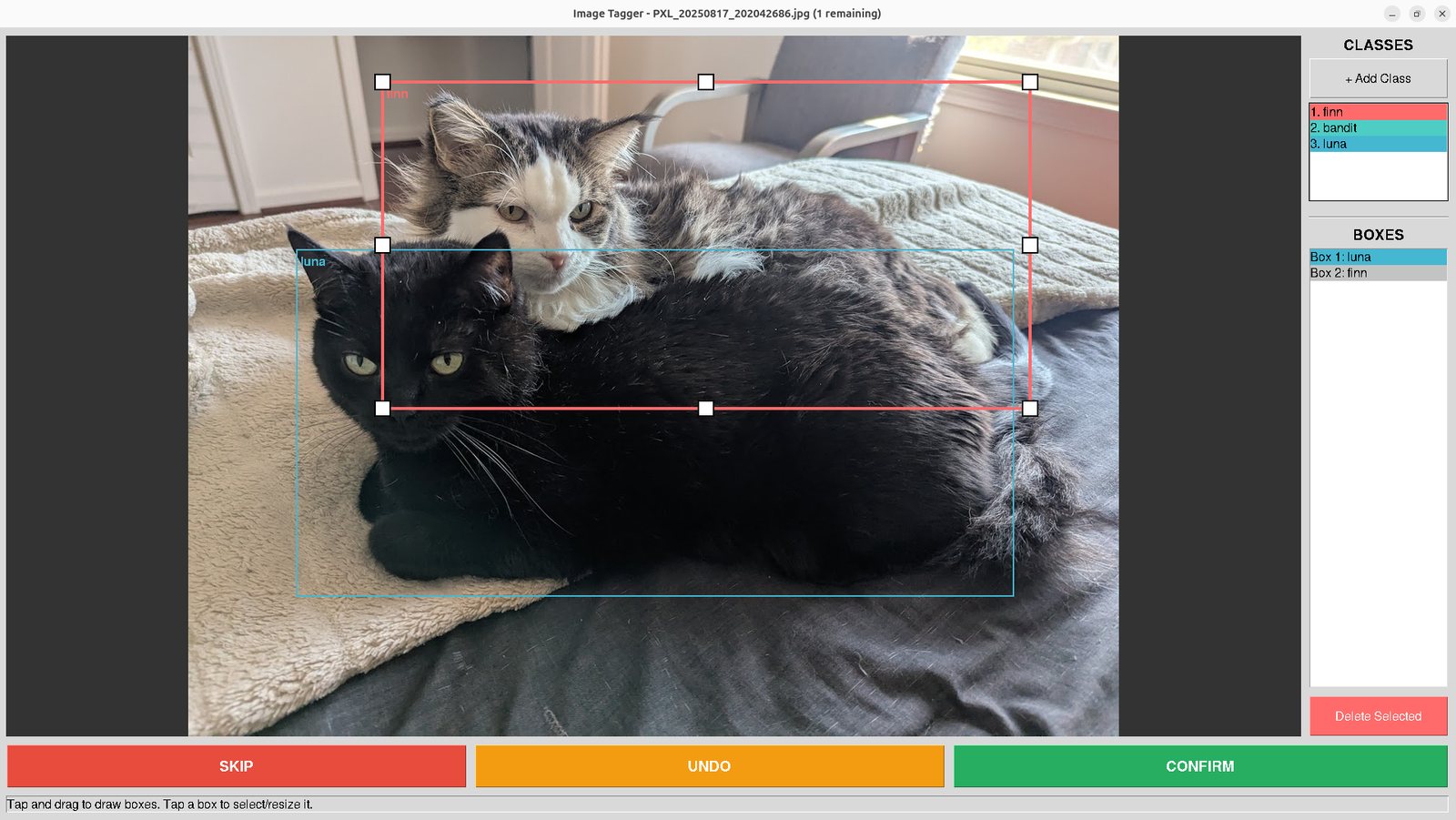
Version two. Class panel, box inventory, and buttons you can actually hit with your fingers.
V1 worked. V2 arose as I worked with the tool, noting every bit of hesitation I had with the interaction. I added undo/redo with a 50-action stack and a panel listing every box and its assigned class.
From Cats to Documents
For training images that just need a class label (like the original document classification problem), it’s still the same tool pattern, but in a different domain. I made another while thinking about how the project would work for documents. I in fact did this in the initial pass for the Puss in Boots detection, though at that scale, I started needing to be judicious about class balancing in the later rounds.
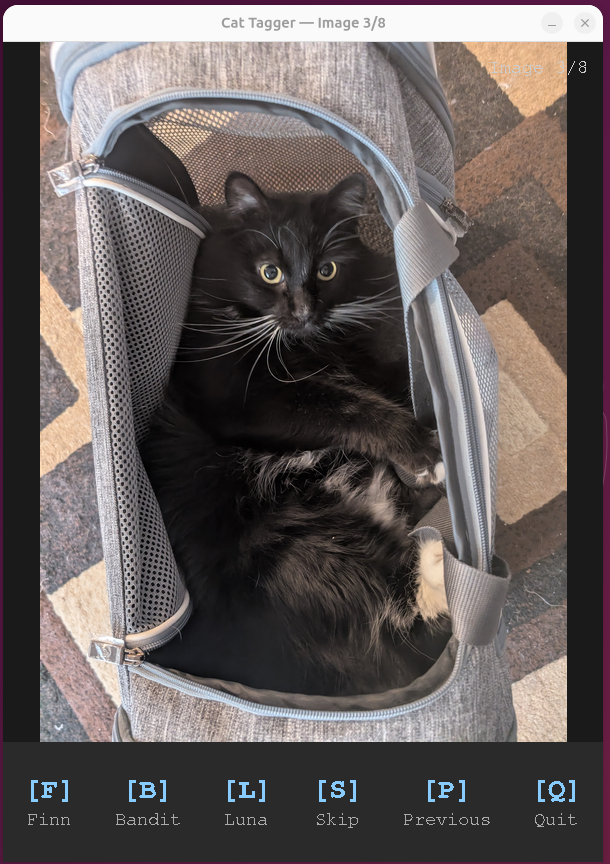
For single image detection, keyboard tagging makes way more sense. I made a tool with Tkinter where it goes through the folder and displays it. You type F for Finn, B for Bandit, L for Luna. Same idea for documents: C for contract, I for invoice, R for receipt, S for skip. Image comes up, I press one key, next image loads. Peak throughput was about 1.5 seconds per page.
Same pattern, different domain. Single-keystroke classification for cats.
I’ve used the same pattern for document classification pipelines.
What’s the point?
I built these for myself not because that off-the-shelf tools can’t do classification. It’s that I can quickly and scrappily build something that identically matches how I’m already conceptualizing the process. Every shortcut, undo, go back, skip, exists because I hit that exact friction point while annotating. I add the stuff that makes it easy for me to do something extremely quickly, because the tool is just automating the way I’m already thinking about it. No translation costs accumulating.
I don’t have to constantly think “okay, click, move the mouse to a point I wasn’t thinking about.” There’s no translation step between the decision in my head and the action the tool takes. That matters more than it sounds like it should. Ruts aren’t always a bad thing. Scale is easy to achieve if you’re working in them.
A process that changes something, but closely enough to match the muscle memory of someone performing the task gets adopted. One that asks them to rethink their mental model on every interaction, doesn’t.
End Result
The tradeoff has always been between simple tools that work for most users (think things like coreutils in linux), more specialized powerful tools that work for an individual user (this post), and general purpose tools that work for everyone. The second two choices are becoming less of a distinction. Tkinter isn’t complex. It’s something that can be automated. Simple tools with reasoning and input a user can be glued together to make unreasonably powerful tools when paired with that user. The gap between “I need this tool” and “I have this tool” was two hours of tkinter and basic installs. That gap is getting smaller.
Google’s been exploring an idea like this with Generative UI, where Gemini builds bespoke interfaces on the fly instead of showing everyone the same one. It’s the same process at a larger scale, since the question is built on “I need this output, but I want you to understand how it would be most straightforward for me to do it.”
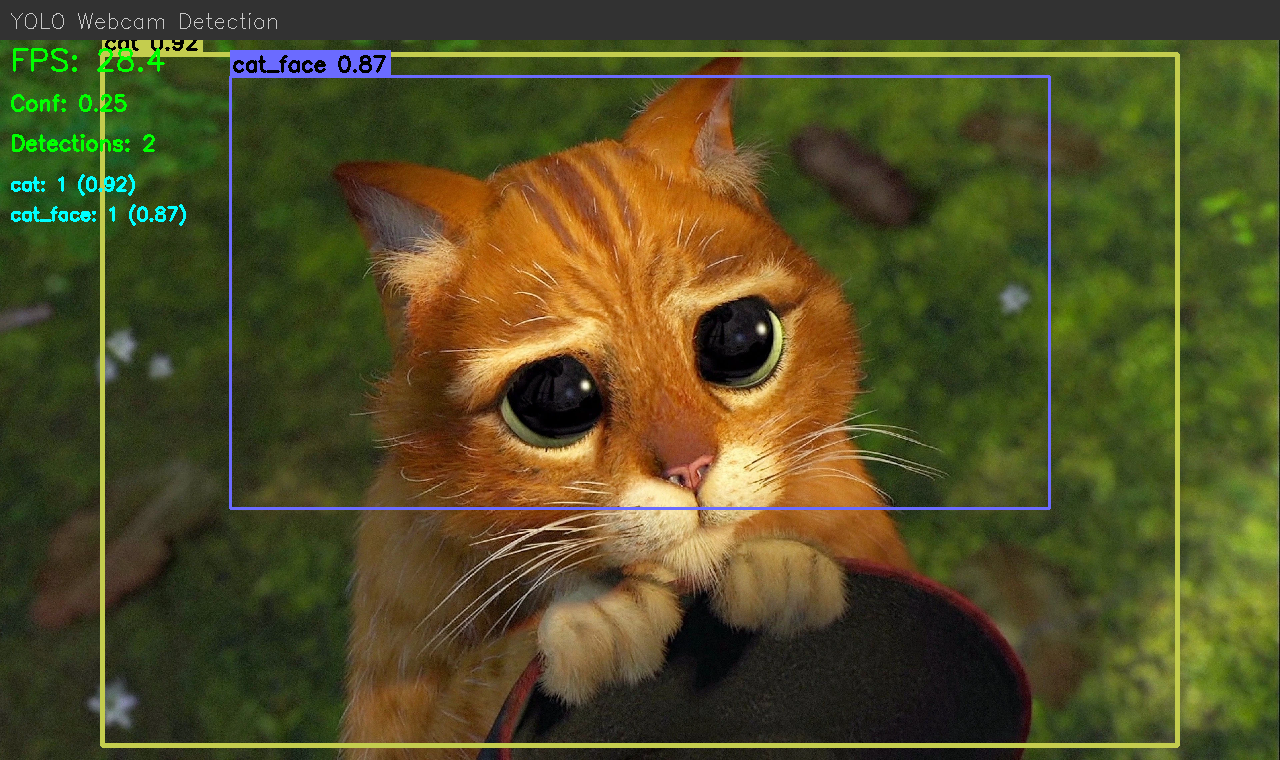
Annotated training data becomes a real-time detector.
Ultimately, the tools I built here aren’t polished. They’re precisely fit. They’re held together with tkinter and duct tape, but that’s the point, built on the fly to match the shape of how I already think about the problem, so there’s no tax on every interaction. And that’s the real lesson here. The next generation of tooling isn’t going to be about building one perfect interface. It’ll be about making it trivially cheap to build the right interface for the person sitting in front of it.
I want to fine-tune an image generation model on Puss in Boots. That means I need 50 to 100 good stills of the character. The movie is 98 minutes long. I am not going to sit there and screenshot by hand.
So I trained a binary classifier to do it for me, wired it up to OBS, and let it watch the movie while I did other things. Here’s how that went.
Step 1: Get some frames to label
First problem, you need labeled data to train a classifier, but the whole point of the classifier is to avoid labeling by hand. Chicken McCrispy meet Egg McGriddle. I did a bootstrap, label a few images at first, and then strategically find new information. I started off by extracting 500 frames from the movie and manually putting them into puss/not-puss folders.
def random_sample(video_path, output_dir, n=500, seed=42):
    random.seed(seed)
    cap, sar, fps, duration_sec = _video_info(video_path)
    timestamps = sorted(random.uniform(0, duration_sec) for _ in range(n))

    for ts in timestamps:
        cap.set(cv2.CAP_PROP_POS_MSEC, ts * 1000)
        ret, frame = cap.read()
        if not ret:
            continue
        frame = _correct_frame(frame, *sar)
        filename = f"frame_{ts:08.2f}s.jpg"
        cv2.imwrite(str(output_dir / filename), frame,
                    [cv2.IMWRITE_JPEG_QUALITY, 95])
After that, I trained the model (more on that below), then fetched 5000 more frames, and went back and looked at ones it got wrong with high confidence. If the model marked a new image of Puss in Boots at 95% confidence, then it has enough information. Marking a single shot of Perrito at 95%? That’s new information.
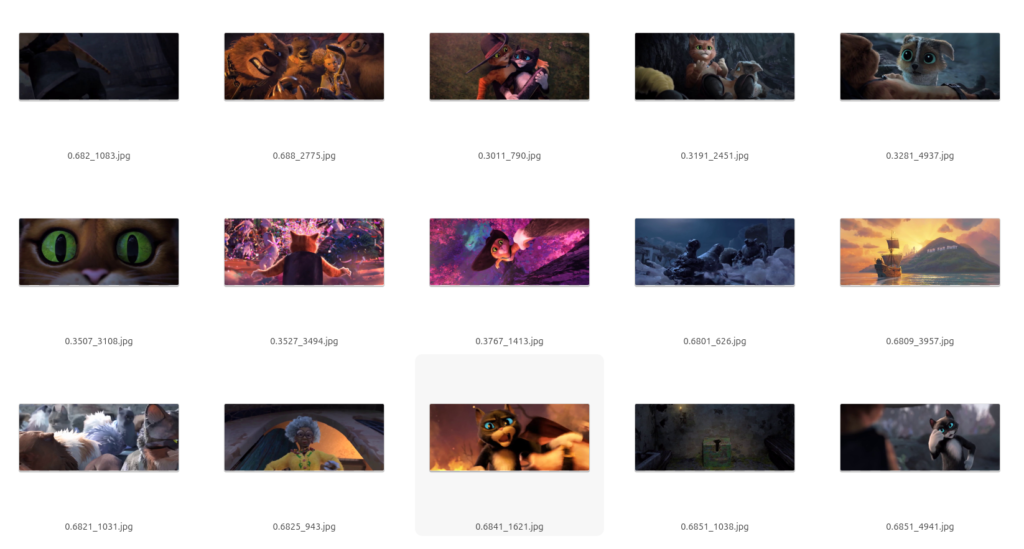
High-confidence false positives. Each filename starts with the model’s confidence score (e.g. 0.9872), followed by a frame number. These frames scored above 90% “puss” but contain no Puss in Boots: dark scenes, other characters, extreme close-ups of eyes. Good candidates for relabeling into the training set.
I moved borderline cases and confident mistakes into the training folders and retrained. After a few rounds: 1,265 labeled frames total, 901 puss and 364 not-puss.
Step 2: What the classifier has to learn
This isn’t as simple as “find the orange cat.” The movie has other cat characters. Kitty Softpaws is also orange-ish and shows up in many of the same scenes. The classifier has to distinguish Puss specifically, across different lighting, angles, and scales (sometimes he’s a tiny figure in a wide shot, sometimes it’s an extreme close-up).
puss = 1
puss = 0
Step 3: Training
I went with ResNet18. Standard fine tuning workflow. Use a pretrained model, freeze most of it, unfreeze the last residual block and swap in a new classification head.
One output neuron, BCEWithLogitsLoss, 15 epochs on CPU. I used weighted random sampling because my classes were imbalanced (more puss than not-puss, which, fair enough, he is the main character).
model = models.resnet18(weights=models.ResNet18_Weights.DEFAULT)

for name, param in model.named_parameters():
    if not name.startswith("layer4") and not name.startswith("fc"):
        param.requires_grad = False

model.fc = nn.Linear(model.fc.in_features, 1)
Out of 11.2 million parameters, 8.4 million were trainable. Validation accuracy hit 92.1% at best, but I was also going a little overboard with the complexity of the images it was using for tagging.
Here’s what 92% looks like in practice. Both of these were labeled puss = 1 in the training set:
puss = 1 (he’s in there, behind Kitty)
puss = 1 (hat visible at the left edge)
The movie is 2.39:1 widescreen, but ResNet takes 224×224 square inputs. Every frame gets resized to fit that square, so widescreen shots get squeezed horizontally. In a wide shot where Puss is a small figure at the edge of the frame, he might occupy 20 pixels of the input tensor. The model still has to learn that counts. These borderline cases are part of why accuracy plateaus at 92% instead of 99, and also why 92% is fine for my purposes. The hard cases are genuinely hard.
That’s not going to win any competitions, but I don’t need it to. I just need it to catch most frames of my dear Puss in Boots so I can sort through a smaller pile by hand instead of watching the whole movie frame by frame.
Step 4: The source quality question
Before building the live capture I got sidetracked wondering whether my video source was high enough quality for LoRA training. I spent a while comparing different copies and resolutions, checking codecs, obsessively alt-`ing between frame grabs. At one point I was pricing USB Blu-ray drives.
Frame grab from the source video. Good enough?
Then I stopped and thought about it for a second. LoRA training data doesn’t need to be 4K. It needs variety: different poses, angles, lighting. A 98-minute movie has plenty of that regardless of resolution. I was solving the wrong problem.
Step 5: Live capture
This part I’m proud of. The beauty of PyTorch is that you can implement exotic logic and have something fundamentally editable. If you’re willing to relax these, you can get a much more performant model. Export the trained model to ONNX so you don’t need PyTorch at runtime, just onnxruntime and OpenCV. A future project I want to see how light a system I can get a useful ONNX model running.
Open a Jupyter notebook. Point it at the OBS virtual camera. Every frame gets run through the model. Anything above 85% confidence gets saved to disk, with a one-second cooldown to avoid saving the same frame fifty times.
cap = cv2.VideoCapture(VIDEO_SOURCE)

while cap.isOpened():
    ret, frame = cap.read()
    if not ret:
        continue

    prob = predict(frame)
    now = time.time()

    if prob >= 0.85 and (now - last_save_time) >= 1.0:
        ts = datetime.now().strftime("%Y%m%d_%H%M%S_%f")
        filename = SAVE_DIR / f"puss_{ts}_{prob:.3f}.png"
        cv2.imwrite(str(filename), frame)
        last_save_time = now
I added an overlay that shows up in the notebook cell: green text with the confidence percentage when Puss is on screen, red when he’s not. There’s a “[SAVED]” flash and a running count. So you can watch it work. Hit play in one window. Let the notebook chug in another. Go make coffee. Come back to 166 screenshots of a small orange cat in a hat.
The classifier handles group scenes. 94.3% with two other characters in frame.
Results
166 captures from one sitting. Confidence scores between 0.851 and 0.998. Most of them look good. The ones that don’t are motion blur: the classifier sees enough orange to think “that’s him” but the frame is a smear. Fair enough.
86.1% confidence. I think that’s a boot? The classifier is being generous.
I ran perceptual hashing over the keepers to drop near-duplicates (distance threshold of 10), and ended up with about 70 distinct frames. That’s the LoRA dataset. Next I need to caption them and train the image model. But that’s a different project and a different post.
I have had so much trouble making tempeh. Crumbly, inconsistent results, batch after batch. And the troubleshooting guides online? Useless. Every single one boils down to the same set of contradictions:
You cooked the beans too much
You cooked the beans too little
You dried the beans too much
You dried the beans too little
You incubated too hot
You incubated too cold
You packed too tight
You packed too loose
You split the beans too much
You split the beans too little
Right. So that narrows it down to everything. I decided the only way forward was to go clinical — document every step, measure every variable, and remove every excuse. If this batch failed, I’d know exactly how and why.
Cracking the Beans
Most instructions say to soak the beans and then scrub the hulls off by hand, squeezing each one between your fingers. I skipped that entirely. It’s a waste of water and time when you can just pre-crack them.
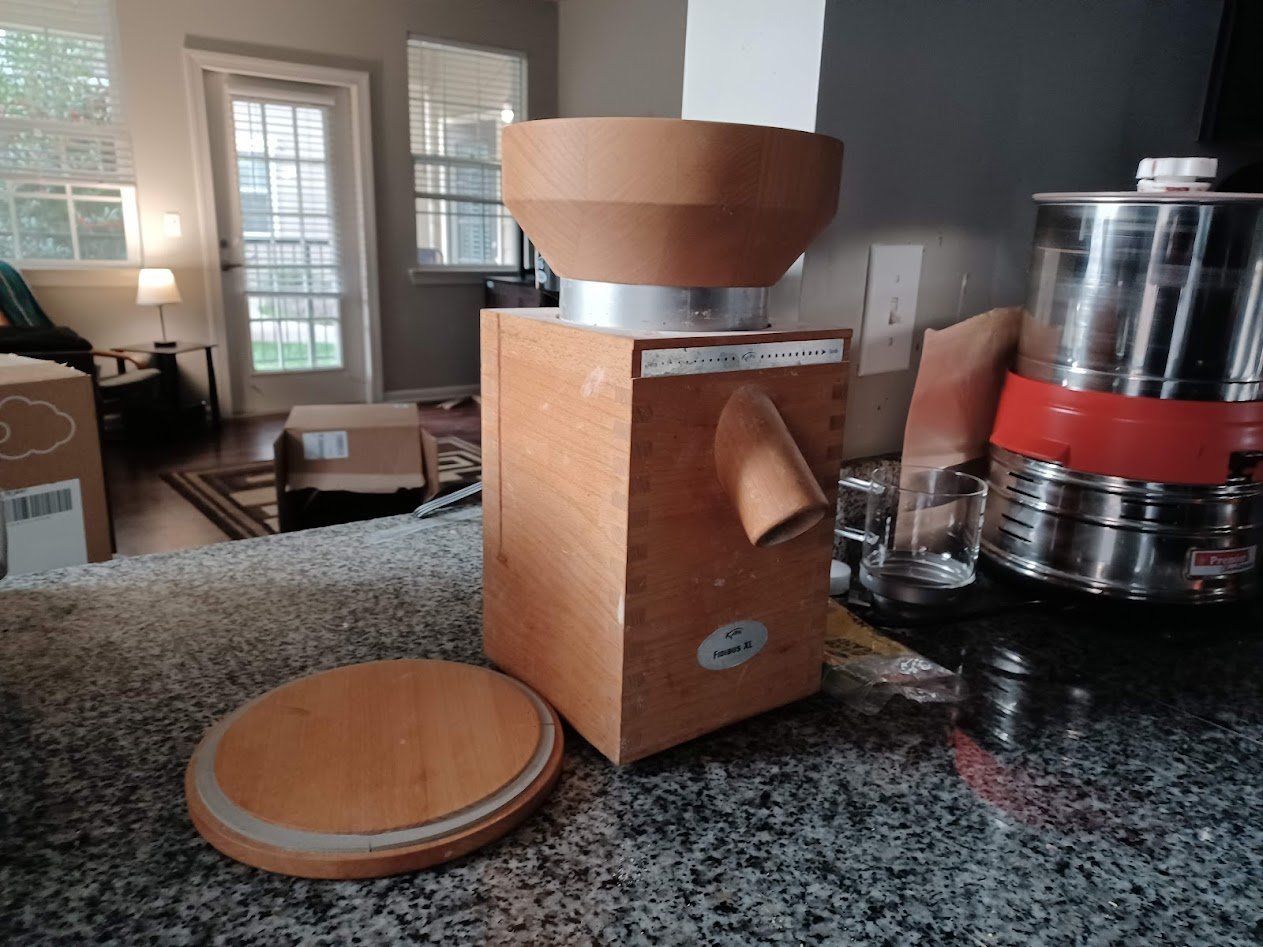
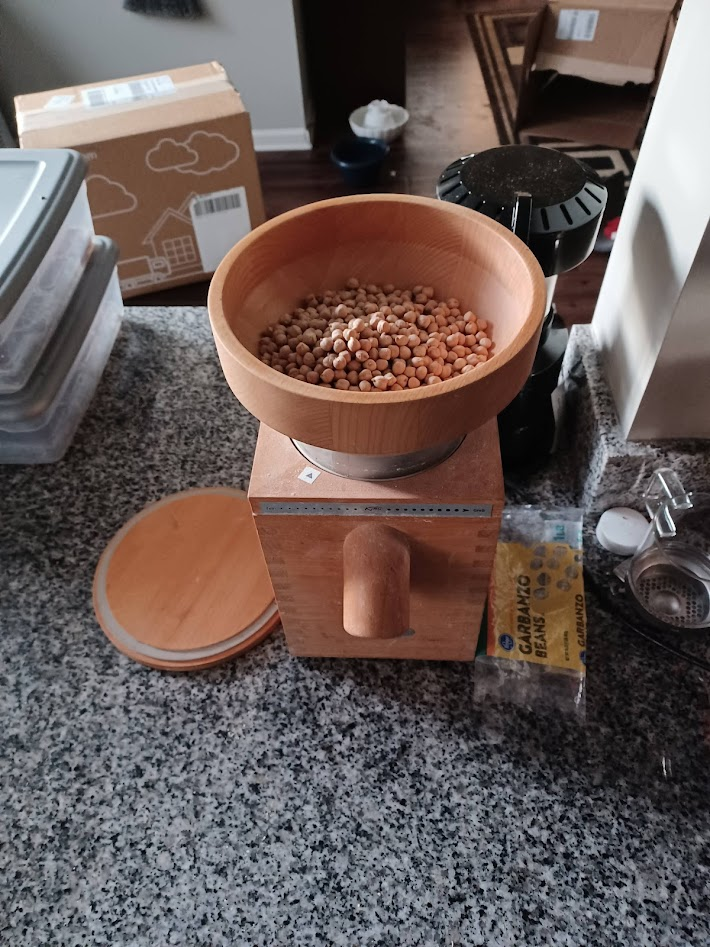
My KoMo Fidibus XL. I’ve had this mill for over a decade and it has paid for itself many times over.Soybeans loaded and ready to crack.
I widened the grinding wheels and ran a few test passes until I found a setting that splits the beans in half without creating too much dust. When you crack them this way, the hulls tend to fall right off.
A note: this post mixes photos from two batches — one garbanzo, one soybean. The process is the same for both.
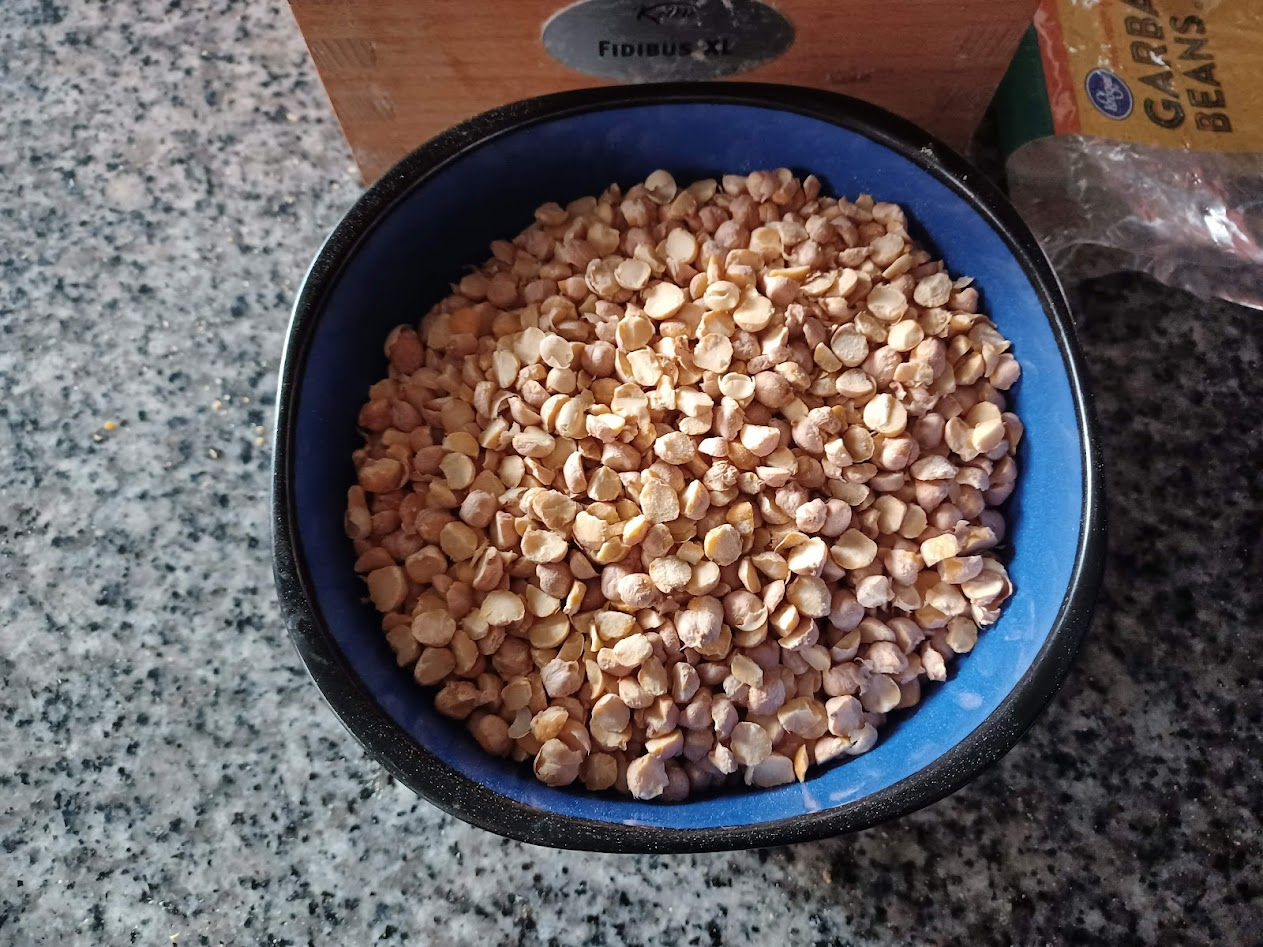
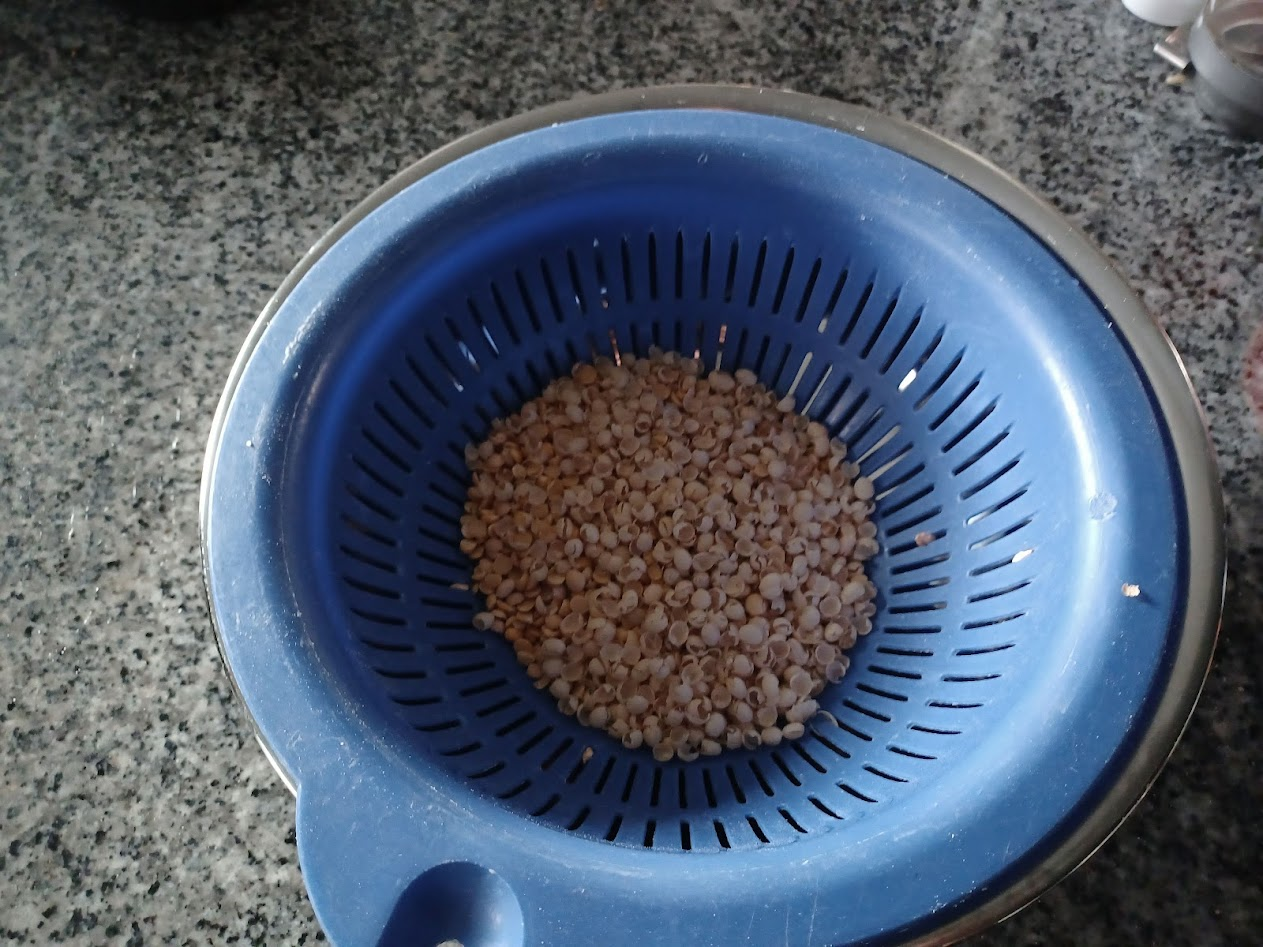
Cracked and dehulled in about two minutes.Running the cracked beans through a colander to sift out the dust.
I shook the colander a few times and the empty hulls floated to the top. A quick pass with a hair dryer — one I keep in the kitchen specifically for cooking — cleared them off in a couple of passes.
Clean splits. Hulls removed, minimal dust.
I boiled the beans until they reached the consistency of a boiled peanut — maybe a lima bean. Soft enough to eat, firm enough to hold shape. I didn’t photograph this step because it’s just boiling beans.
The Bags
For tempeh, you need a bag with small holes — enough airflow for the Rhizopus mold to breathe, but not so much that the surface dries out. Traditional tempeh is wrapped in banana leaves; we’re making an artificial one.
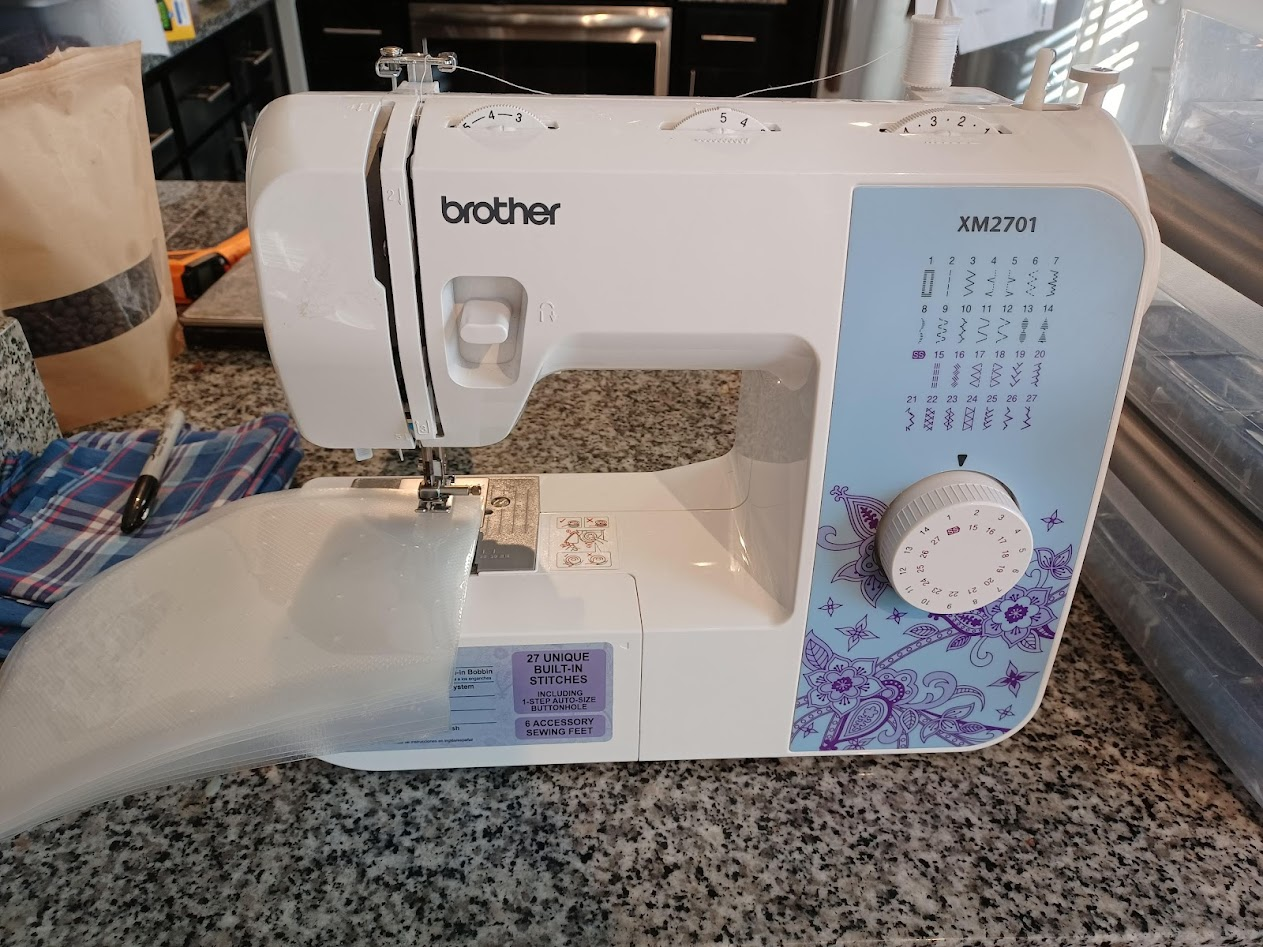
The sewing machine. Another piece of equipment that’s earned its counter space.
I read a paper that described optimal tempeh incubation using bags with holes punched by a number 7 needle, spaced half an inch apart, on 1.5mm polyethylene. Here’s what I actually used a size 12 sewing needle at one-inch intervals on a 3mm polyethylene bag. Size 12 is thicker than size 7.
Drying and Inoculation
This is the step I suspect most guides don’t emphasize enough, and where most batches quietly go wrong.
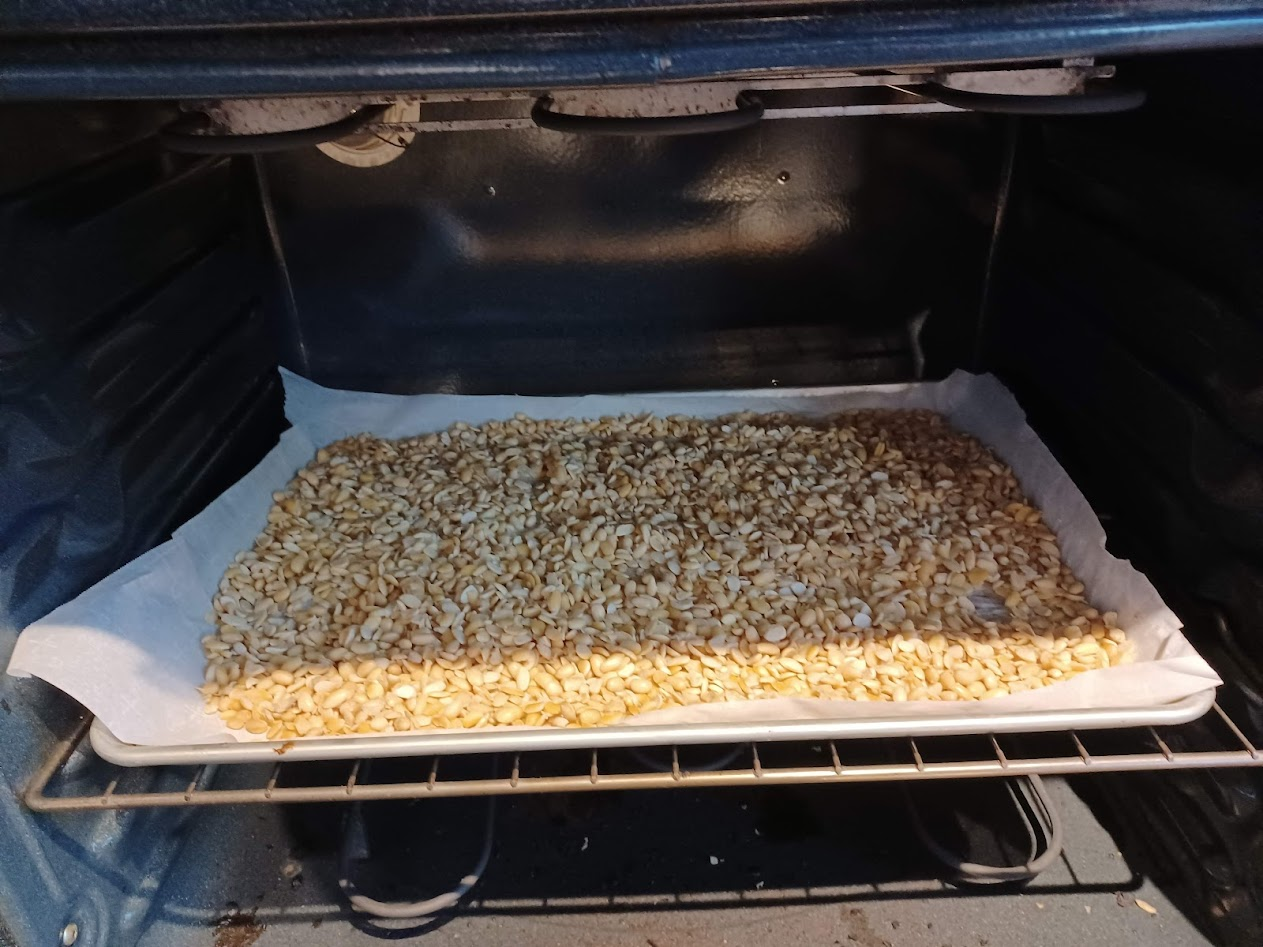
Drying in the oven at 170°F, stirring every few minutes.
I set my oven to 170°F and stirred every few minutes until the beans were dry. Actually dry — not “they look dry.” Dry as in my hand doesn’t get wet when I grab a handful. I raised my fist to my face and told each bean it would become tempeh or die.
Once the surface moisture was gone, I added a few tablespoons of distilled white vinegar and let that evaporate too. The vinegar lowers the pH enough to give the Rhizopus a head start over competing bacteria.
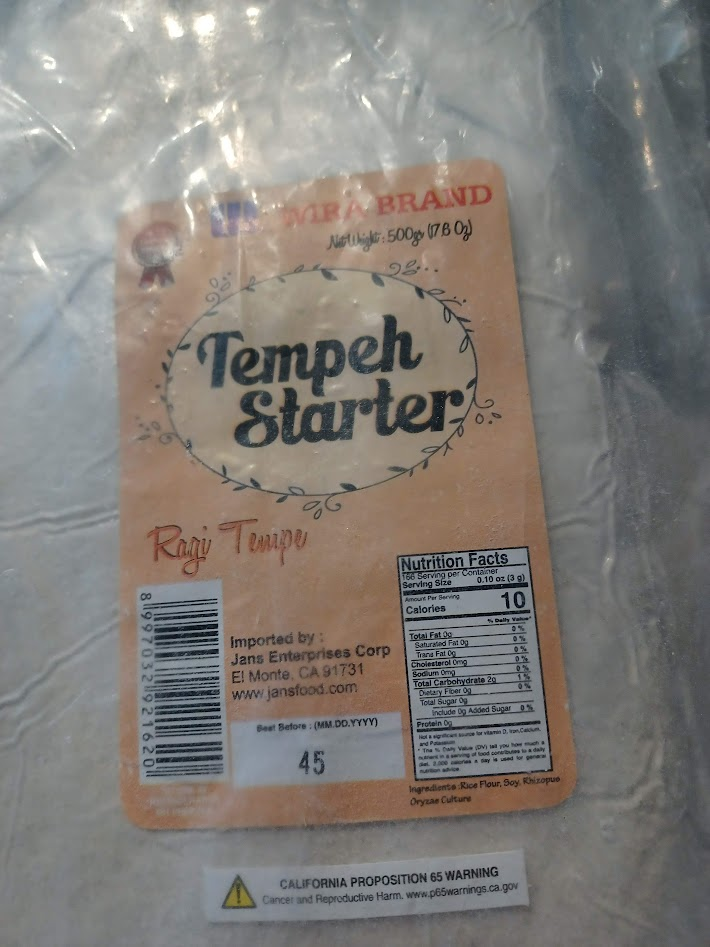
The tempeh starter (Rhizopus oligosporus). Kept in my freezer until needed.
Mixed the starter into the cooled, dry beans. Packed them into the perforated bags, pressed flat to about an inch thick, sealed them up.
Incubation
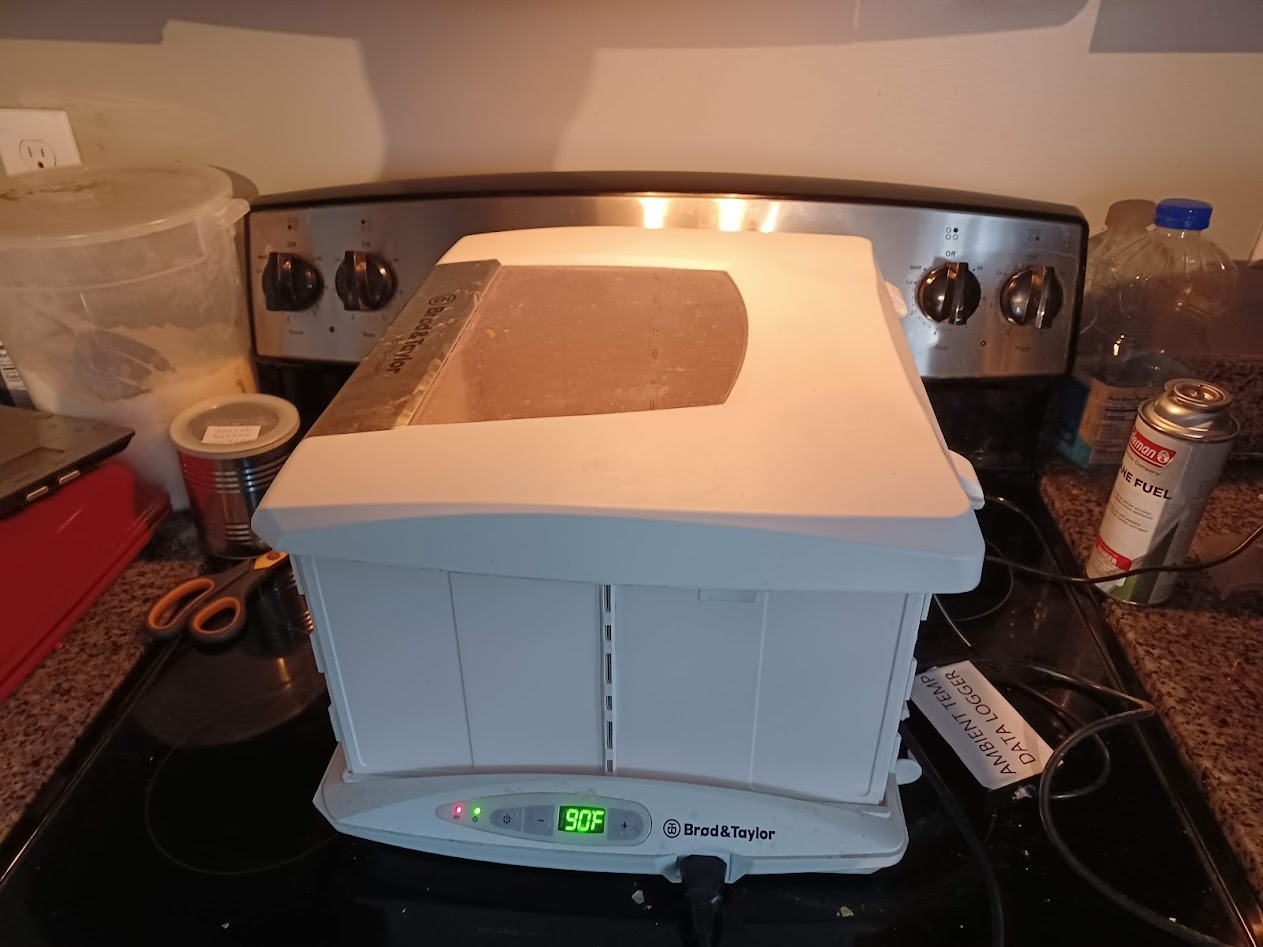
The Brod & Taylor folding proofer, set to 90°F. Designed for bread, but it holds temperature precisely enough for fermentation work.
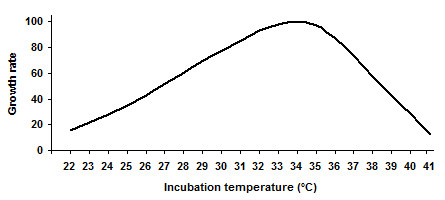
At this point I hadn’t confirmed the optimal incubation range. A quick search turned up this:
Rhizopus growth rate peaks around 30–35°C (86–95°F) and drops sharply above 37°C. Source: tempeh.info
I adjusted to 86°F and loaded the bags.
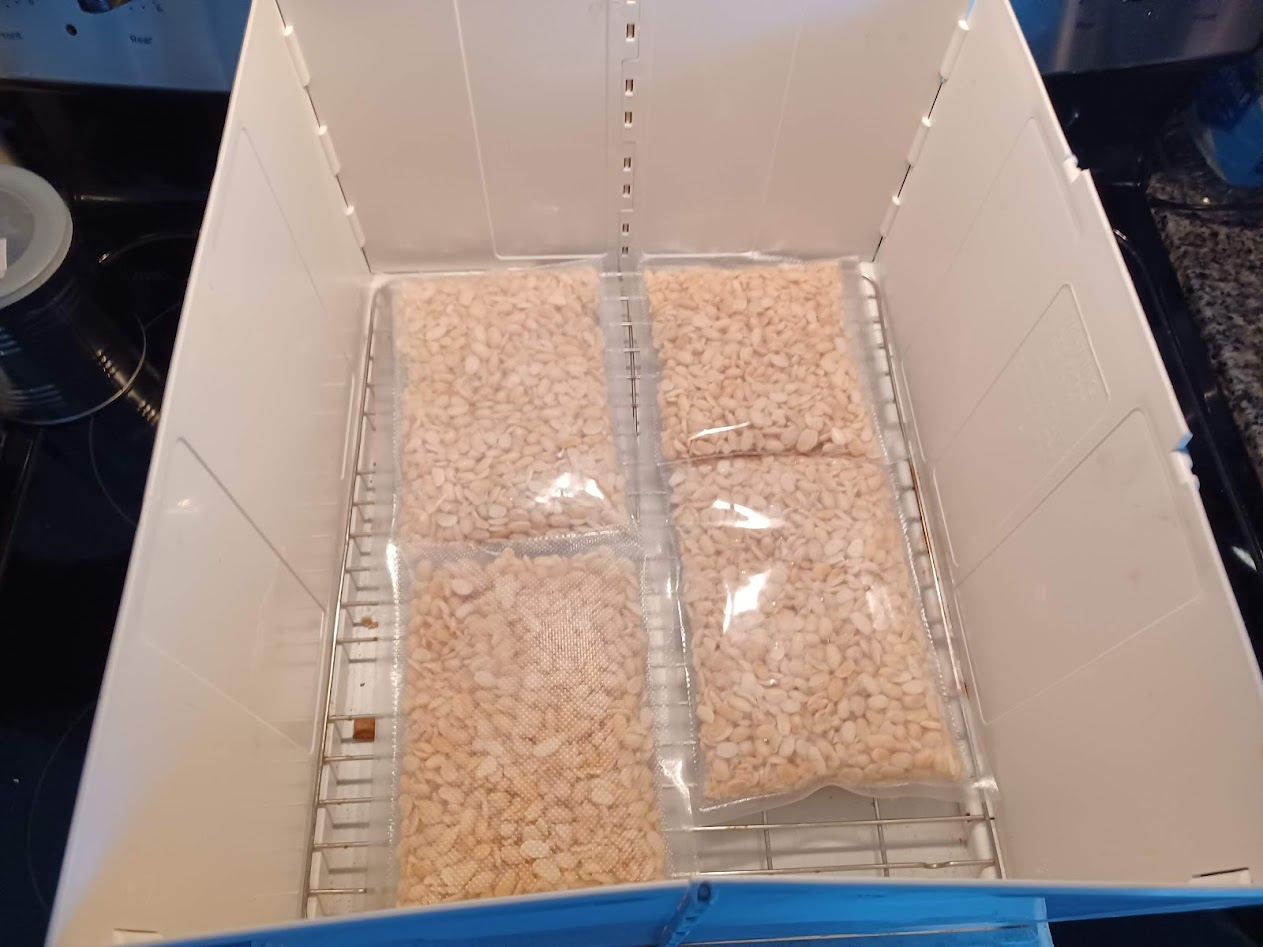
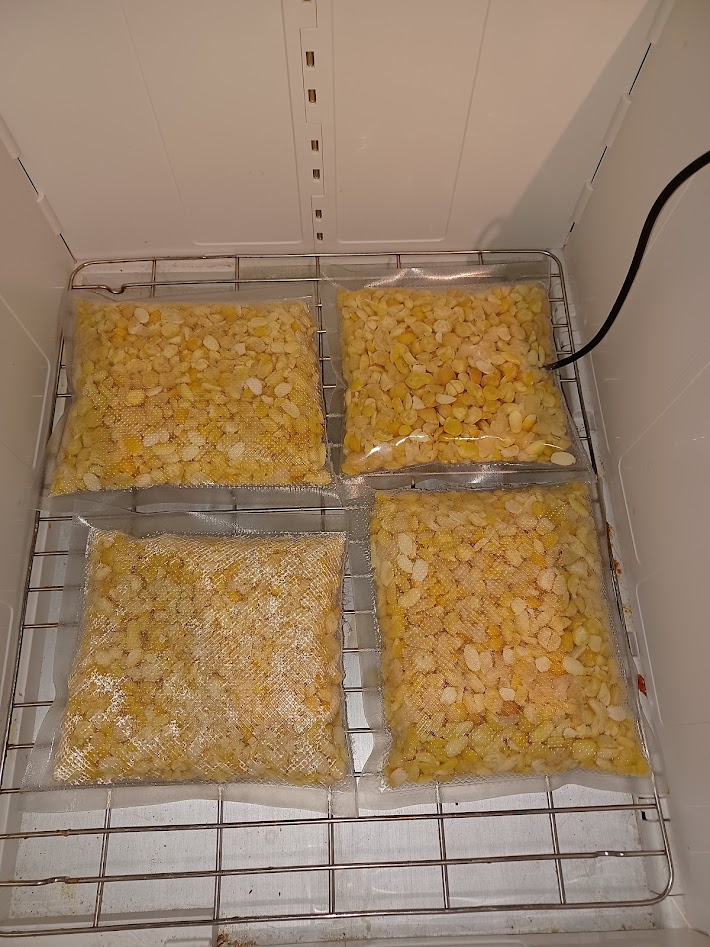
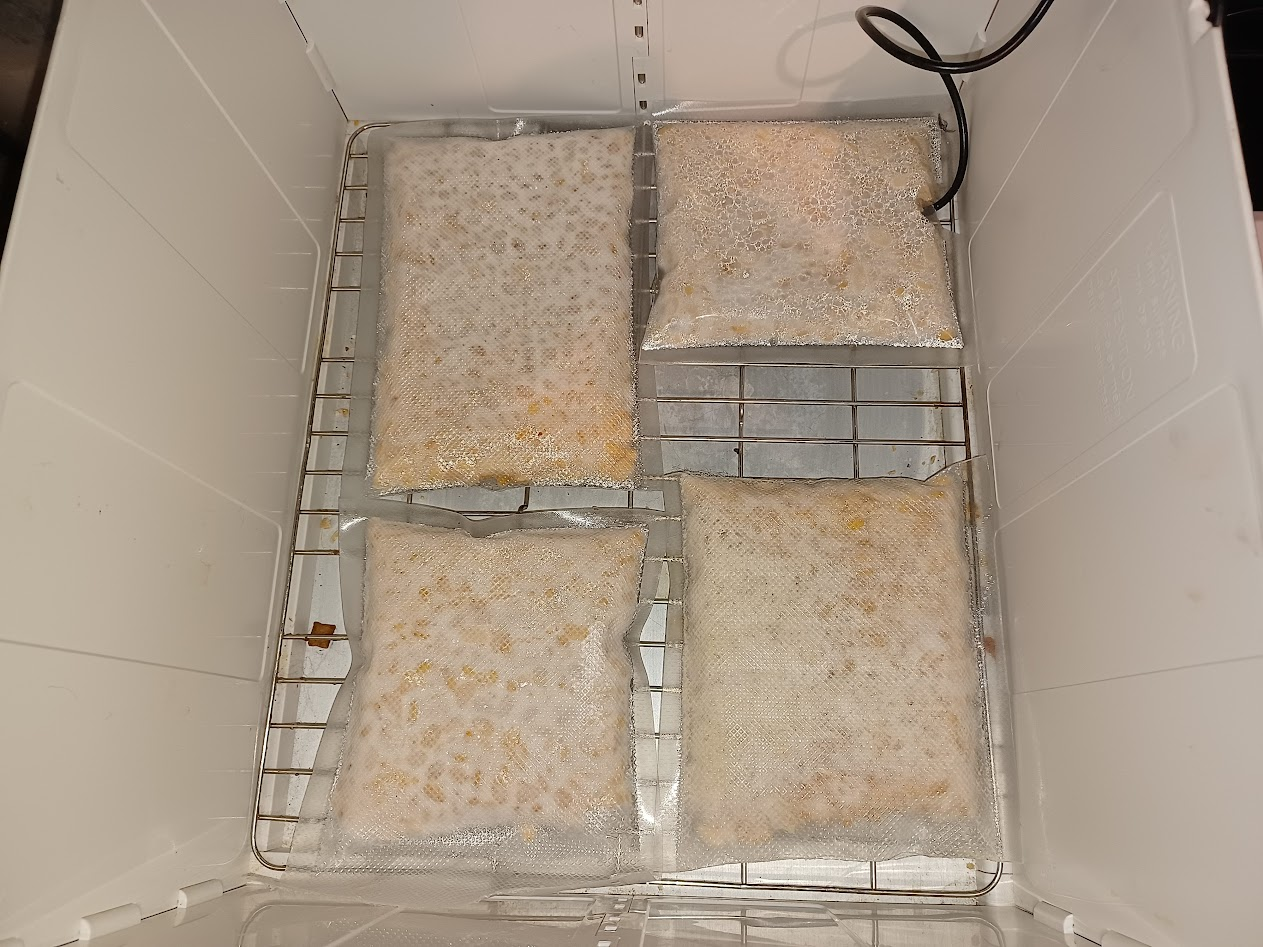
Four bags loaded, day zero. No visible growth.
Over-Engineering the Monitoring
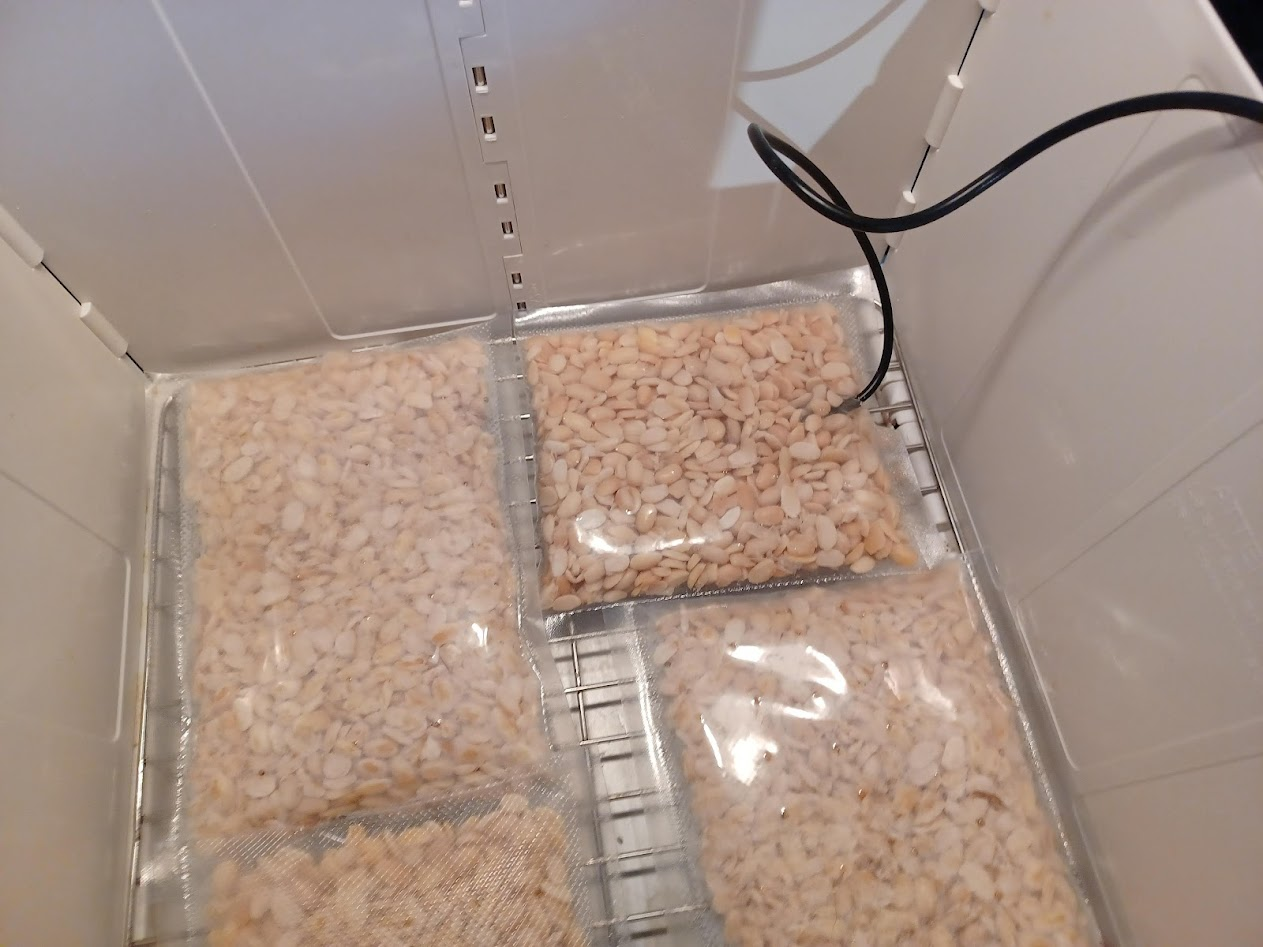
I wanted the actual temperature inside the bean cake, not just the ambient air reading from the incubator’s display. So I ran a probe thermometer directly into one of the bags.
Temperature probe running into the bean cake.
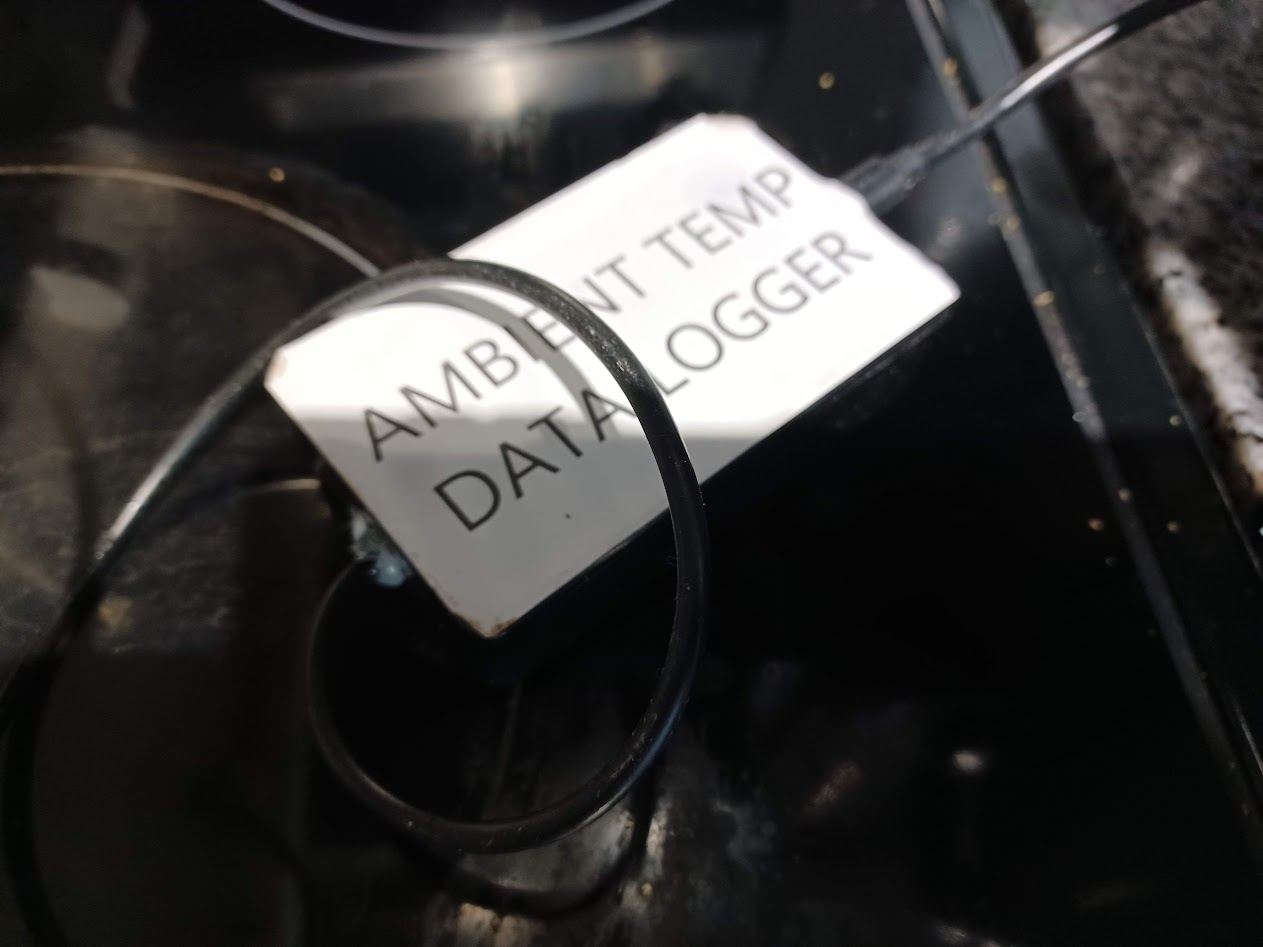
Then I built a data logger.
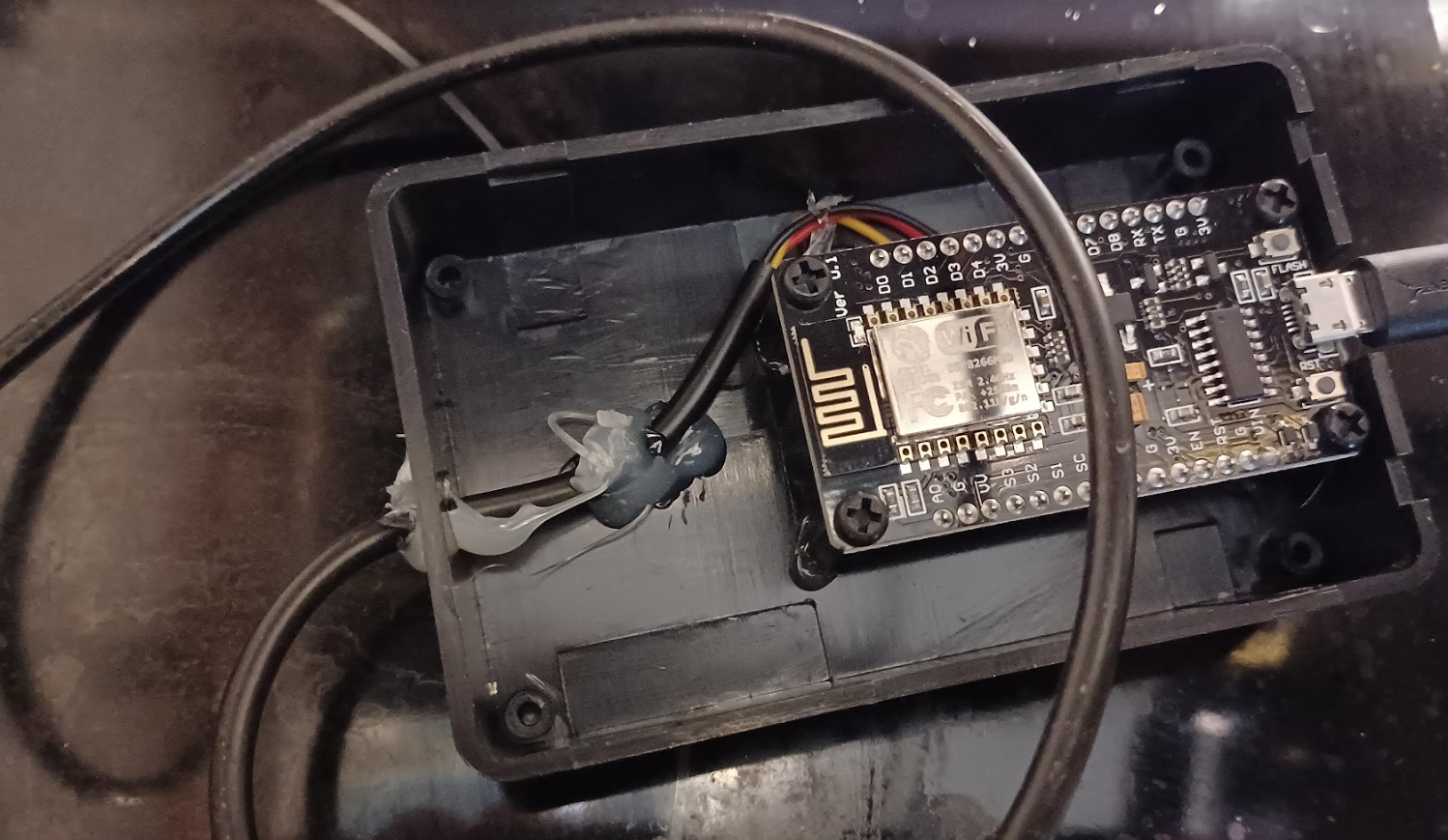
An ESP8266 microcontroller, programmed with Arduino to read the temperature sensor and transmit data over WiFi at three-second intervals.
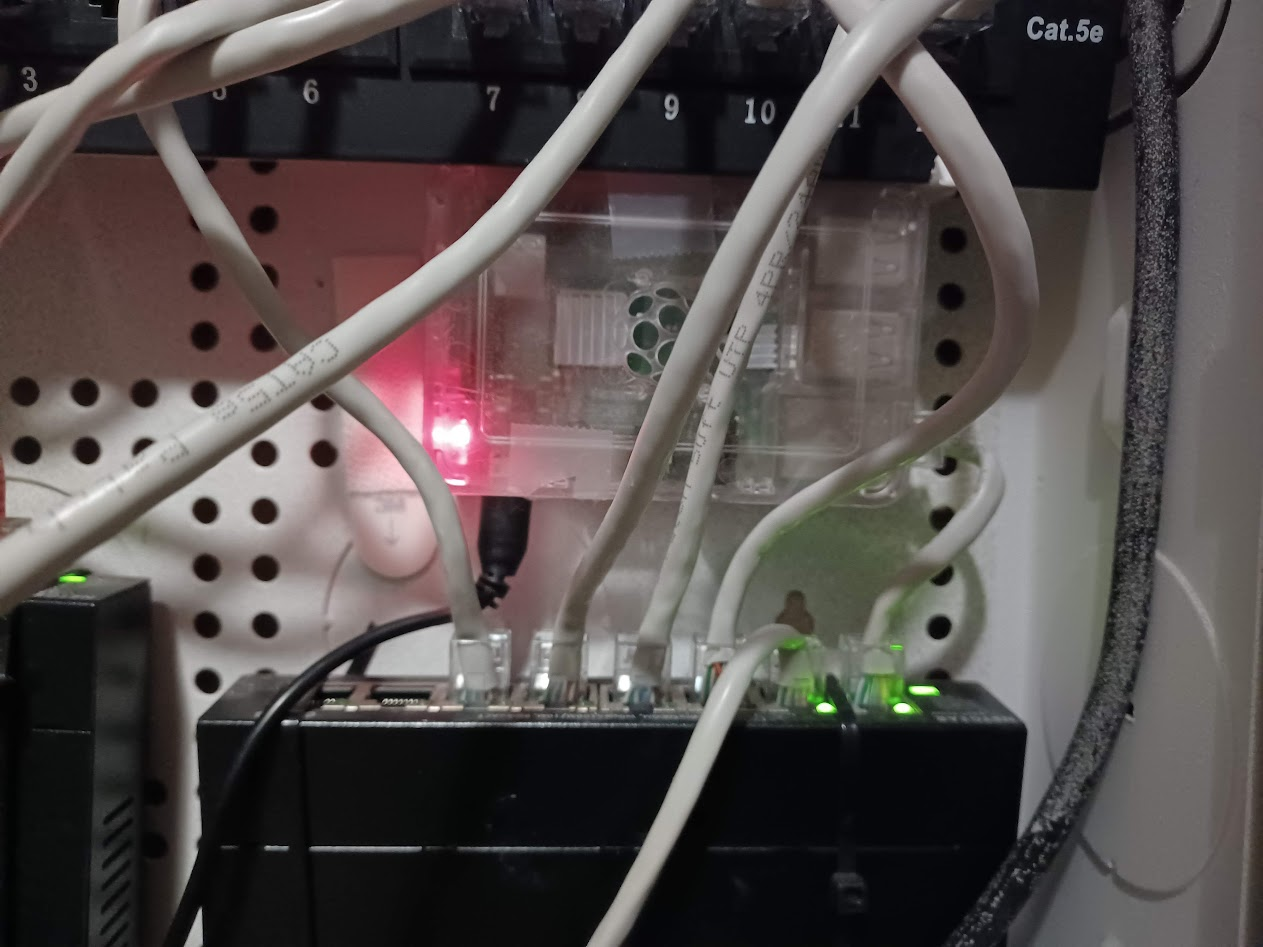
The Raspberry Pi, connected directly to the router. This is the server receiving and logging the temperature data.
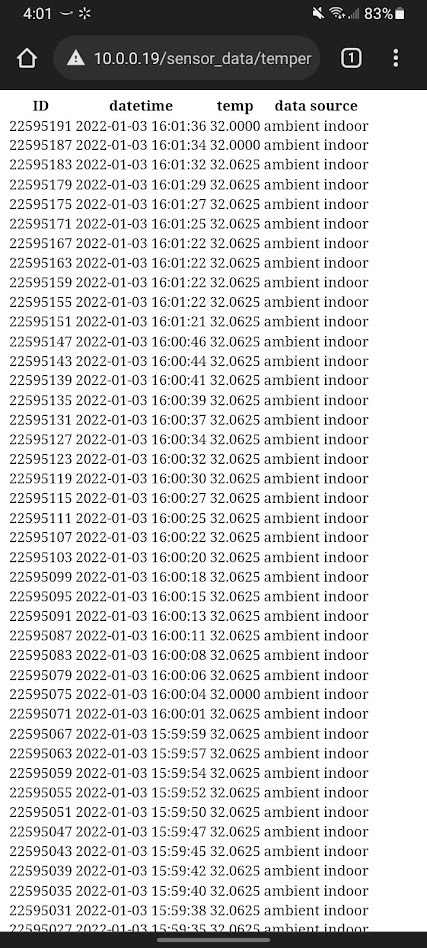
I wrote a small web server so I could check temperatures from my phone. If someone was going to tell me the incubation temperature was wrong, I’d have a timestamped log at three-second resolution to discuss.
Raw temperature log. Timestamped, continuous, three-second resolution.
Was this level of monitoring necessary for making tempeh? No. But the troubleshooting advice I kept getting was some variation of “your temperature was probably wrong,” and I was done guessing.
The Wait
After 12 hours: nothing visible. The bags looked exactly the same as when I loaded them.
Twelve hours in. The bags look exactly the same.
I wrote a pointed review of the tempeh starter on Amazon.
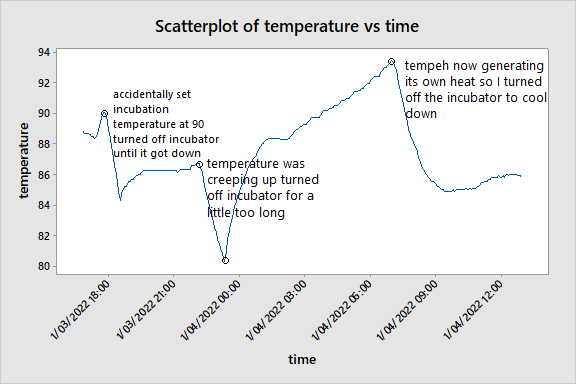
But I checked back at lunch the next day and noticed something. The tempeh didn’t look different yet, but the temperature probe told a different story — the internal temperature was climbing above ambient. The beans were generating their own heat. Something was growing.
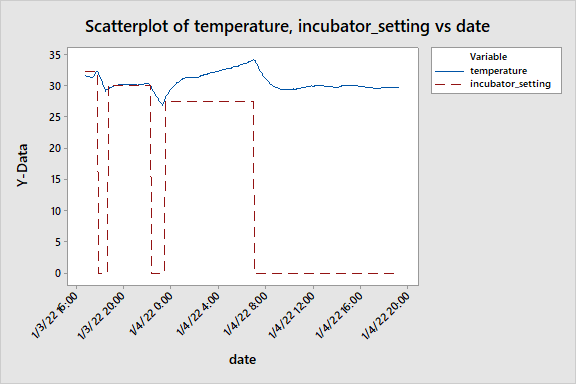
The temperature log tells the whole story. You can see where I accidentally started at 90°F and had to let it cool, where the temperature crept up and I turned off the incubator a little too long, and finally — around hour 18 — where the tempeh started generating its own metabolic heat. I turned the incubator off entirely and let the mold regulate itself.
It Worked
I opened the incubator and saw mycelium.
Mycelium. Finally.The full picture. Blue is the actual bean temperature; red dashed line is the incubator setting. At the end, the incubator is off and the tempeh is holding its own temperature around 30°C. Self-sustaining fermentation.
A few more hours and the beans were fully bound together. Dense, white, solid blocks.
Four blocks of finished tempeh. Uniform mycelium growth, firm structure.
I changed my Amazon review.
“Pretty good. Don’t give up on it.” — updated to 5 stars.
What Actually Mattered
The vague troubleshooting guides aren’t wrong, exactly — they’re just useless without measurement. “Too hot” and “too cold” don’t mean anything without a number attached. After going through this with three-second temperature resolution and documented steps, here’s what I think actually makes the difference:
Dry the beans completely. Not “they look dry” — your hand shouldn’t feel any moisture when you grab a fistful. Then dry them a little more. Then add vinegar and dry that too.
Start around 86°F (30°C), but watch it. Once the mold takes hold at around 18–24 hours, it generates enough metabolic heat to overshoot the optimal range. You may need to turn the incubator down or off entirely.
Twelve hours of nothing is normal. The growth is invisible at first. If your temperature is in range and your beans were properly inoculated, wait. It happens fast once it starts.
Measure what you can. You don’t need an ESP8266 and a Raspberry Pi (probably). But a probe thermometer inside the bean cake, rather than relying on the incubator’s ambient display, would have saved me several failed batches.